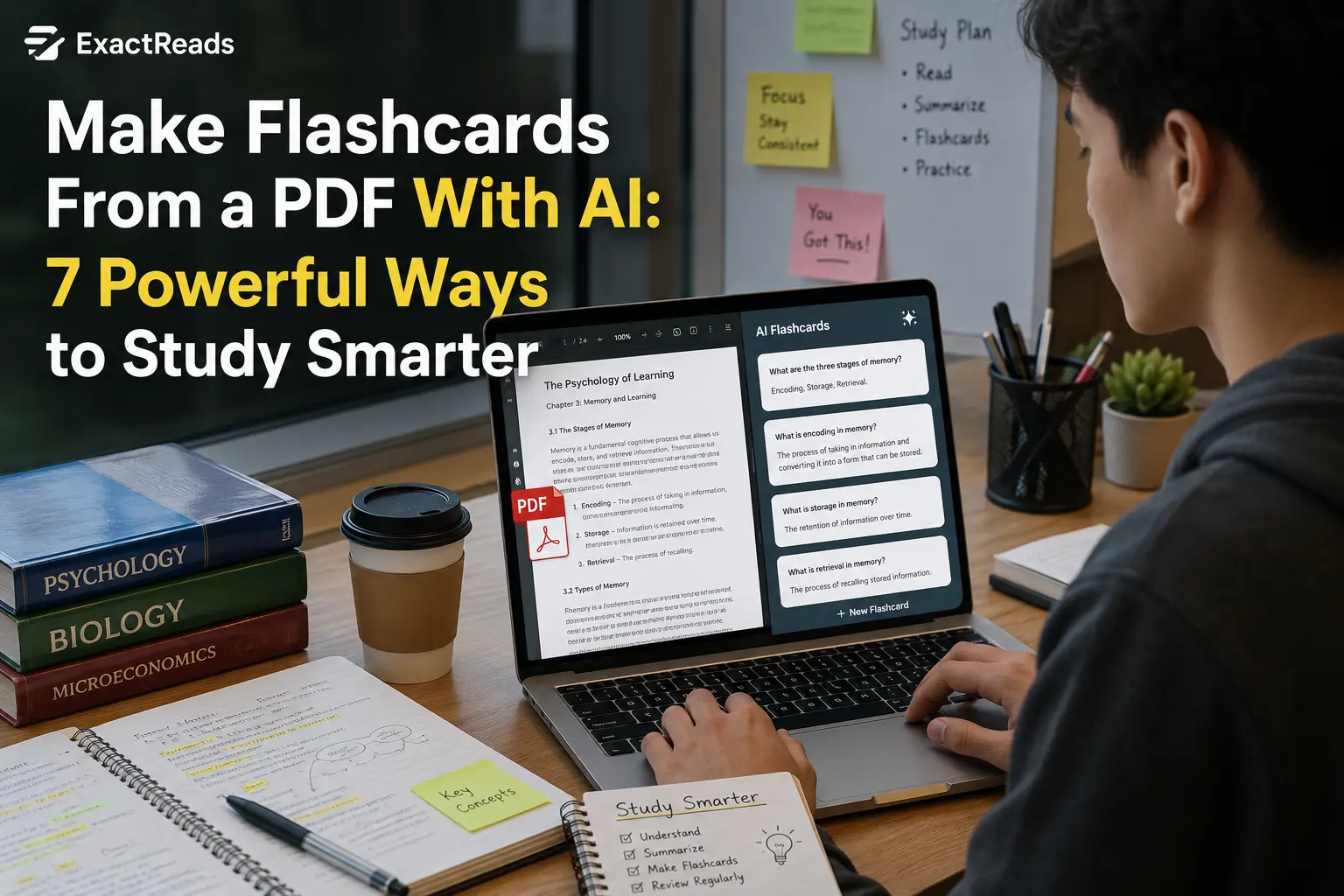
If you have ever tried studying from a 50-page textbook or lecture PDF, you probably know how difficult it can be to decide what you actually need to remember. Reading the same pages repeatedly does not necessarily mean you are learning the material. A better approach is to turn important information into questions that force you to recall the answer.
That is why I like to make flashcards from a PDF with AI. Instead of manually going through every page and writing dozens of cards, I can give AI the document, tell it what I am studying for, and ask it to turn the important information into structured question-and-answer cards.
I have tested AI-based study workflows like this, and the biggest difference comes from how you prompt the tool. Simply asking AI to “make flashcards” can produce cards that are too long, too obvious, or focused on minor details. With the right instructions, however, you can create much more useful cards for definitions, concepts, comparisons, formulas, and exam preparation.
In this guide, I’ll show you how to make flashcards from a PDF with AI, including the prompts I would use, practical examples, common mistakes, and a workflow for turning one PDF into a complete revision system.
Why Make Flashcards From a PDF With AI?
Creating flashcards manually takes time.
Imagine you have a 70-page PDF for an upcoming exam. You need to:
- Read the document.
- Identify important information.
- Decide what should become a flashcard.
- Write the question.
- Write the answer.
- Organize the cards.
- Review them.
The actual studying has not even started yet.
AI can help with the repetitive organization part.
You can upload the PDF and ask AI to identify important concepts and transform them into questions and answers. You can then review the cards and remove anything that is irrelevant.
This is especially useful for:
- College students
- High school students
- Professional certification preparation
- Research papers
- Lecture materials
- Textbooks
- Training manuals
- Technical documentation
If the PDF is particularly long, I recommend first using the workflow in our guide on how to summarize a PDF with AI and then creating flashcards from the important sections.
Why Flashcards Can Be More Useful Than Simply Rereading
There is an important difference between recognizing information and retrieving information from memory.
When you reread a definition, it can feel familiar. But familiarity does not necessarily mean you can reproduce the answer when the book is closed.
Flashcards can be used for retrieval practice: you see the question or cue, try to recall the answer yourself, and then check whether you were correct.
The Learning Scientists describe retrieval practice as bringing previously learned information back to mind, and they specifically recommend using flashcards as one way to practice retrieval.
A more recent Learning Scientists episode also emphasizes that flashcards are useful when they are used to promote effective learning rather than simply rereading the answer.
So the goal is not simply to create a lot of flashcards.
The goal is to use them properly.
How to Make Flashcards From a PDF With AI
Step 1: Choose the PDF You Want to Study
Start with the document you actually need to learn.
It could be:
- A lecture PDF
- A textbook chapter
- Class notes
- A research paper
- Exam preparation material
- A training document
If your PDF contains several unrelated chapters, I recommend separating them by topic when possible.
For example:
Biology PDF
- Chapter 1: Cell Structure
- Chapter 2: Genetics
- Chapter 3: Evolution
- Chapter 4: Ecology
Creating separate flashcard sets for each topic is usually easier than generating one enormous collection.
Step 2: Upload the PDF to an AI Tool
Use an AI service that supports document or PDF analysis.
Upload your file and wait until the AI has processed it.
Before creating flashcards, I recommend asking AI whether it can identify the major sections correctly.
For example:
Review this PDF and list the main topics and subtopics it covers. Do not create flashcards yet.
This gives you a quick way to see whether the document was interpreted correctly.
If the PDF contains scanned pages rather than selectable text, the results may be different. Scanned documents may require OCR before an AI system can reliably analyze their text.
Step 3: Tell AI What You Are Studying For
This is one of the most important steps.
Don’t just say:
Make flashcards from this PDF.
Instead, explain your goal.
For example:
I am preparing for a college exam based on this PDF. Create flashcards covering the important concepts, definitions, processes, comparisons, and facts that I should know for the exam.
This gives the AI context.
You can make the instruction even more specific:
My exam contains multiple-choice and short-answer questions. Prioritize concepts that require understanding rather than minor details.
The resulting cards should be much more useful.
Step 4: Ask AI to Make Flashcards From the PDF
Now you can create your first set.
Try this prompt:
Make flashcards from this PDF. Create question-and-answer cards based only on the information in the document. Focus on important concepts, definitions, processes, formulas, comparisons, and facts that are useful for exam preparation. Keep each question focused on one idea and keep answers concise.
This is a much better starting prompt than simply asking AI to summarize the document.
Step 5: Tell AI How Many Flashcards You Want
If you don’t specify a size, AI may produce either too many or too few cards.
Try:
Create 30 flashcards from this PDF. Prioritize the most important concepts and avoid repetitive cards.
Or:
Create 15 flashcards for each major section of the PDF.
The second approach can work particularly well with large textbooks.
For example:
| Section | Flashcards |
|---|---|
| Cell Structure | 10 |
| Cell Membrane | 10 |
| Cellular Respiration | 15 |
| Photosynthesis | 15 |
Now your study material has a much more manageable structure.
7 Powerful Flashcard Types to Create From a PDF
Not every flashcard should be a basic definition.
This is where I think AI becomes particularly useful.
1. Definition Flashcards
These are the simplest type.
Question: What is osmosis?
Answer: The movement of water across a selectively permeable membrane.
You can ask AI:
Identify the important terms and create definition-based flashcards from the PDF.
These cards are useful when your course requires memorizing terminology.
However, don’t make every card a definition card.
2. Concept Flashcards
Concept cards test whether you understand an idea.
For example:
Question: Why does the cell membrane regulate what enters and leaves the cell?
This requires more understanding than simply remembering a definition.
Ask:
Create concept-based flashcards that test whether I understand why and how the important ideas in this PDF work.
This can make your study sessions more challenging and useful.
3. Comparison Flashcards
Comparison questions are excellent when two concepts are easy to confuse.
For example:
Question: What is the difference between mitosis and meiosis?
Answer: Mitosis produces genetically similar cells for growth and repair, while meiosis produces cells involved in sexual reproduction and reduces chromosome number.
You could ask:
Find concepts in this PDF that students might confuse with each other. Create comparison flashcards that test their differences.
This is one of the prompts I would definitely use when preparing for an exam.
4. Process Flashcards
Processes should be broken into logical steps.
For example:
Question: What are the major stages of cellular respiration?
Instead of making one massive answer, you could ask AI to create several cards covering the stages separately.
A useful prompt is:
Identify important processes in this PDF and create flashcards that test their sequence, purpose, and major steps.
This prevents the answer from becoming a huge paragraph that is difficult to memorize.
5. Formula Flashcards
If your PDF contains mathematics, physics, chemistry, finance, or other formula-heavy subjects, create dedicated cards.
For example:
Question: What formula is used to calculate simple interest?
Answer: Principal × Rate × Time.
You can also ask AI:
Identify all important formulas in this PDF. Create flashcards showing what each formula is used for, what each variable represents, and an example where appropriate.
This can be more helpful than memorizing formulas without understanding when to use them.
6. Example-Based Flashcards
Some concepts become much easier to understand when you connect them to examples.
For example:
Question: Give an example of positive reinforcement.
Answer: Giving a student extra credit after completing optional practice work.
Ask:
Create flashcards that include practical examples for important concepts from the PDF.
This is particularly useful when your exam asks application-based questions.
7. Application Questions
These are my favorite type for deeper study.
Instead of asking:
What is photosynthesis?
ask:
What might happen to a plant’s glucose production if light availability is significantly reduced?
Application questions force you to use the concept rather than simply recognize it.
The Learning Scientists also caution against using flashcards only for basic terms and definitions; their guidance recommends using cards to think about relationships between concepts and how ideas differ or connect.
A Practical Example: Turning a Biology PDF Into Flashcards
Suppose I upload a PDF about the human nervous system.
I wouldn’t ask AI to create 100 random cards.
Instead, I’d first ask:
Identify the major topics in this PDF related to the nervous system.
Suppose the output identifies:
- Central nervous system
- Peripheral nervous system
- Sensory neurons
- Motor neurons
- Sympathetic nervous system
- Parasympathetic nervous system
Then I would ask for different types of cards.
Definition
Question: What is the central nervous system?
Answer: The brain and spinal cord.
Comparison
Question: What is the main difference between sensory and motor neurons?
Answer: Sensory neurons carry information toward the central nervous system, while motor neurons carry instructions away from it.
Application
Question: Which part of the autonomic nervous system is associated with the body’s fight-or-flight response?
Answer: The sympathetic nervous system.
Now the flashcards aren’t simply copying sentences from the PDF. They are turning the information into retrieval cues.
The Best Prompt I Use for PDF Flashcards
If you want one comprehensive prompt, you can use this:
I am studying this PDF for an exam. Create a set of high-quality flashcards based only on the information in the document. Focus on important concepts, definitions, processes, formulas, comparisons, examples, and application-based questions. Avoid trivial details and repetitive cards. Keep each question focused on one concept and keep answers concise enough for flashcard review. Include a mixture of easy, medium, and challenging questions. Do not invent information that is not supported by the PDF.
This gives AI much more direction than:
Make flashcards from this PDF.
How to Make AI Flashcards Better
Tell AI What Not to Include
This is just as important as telling it what to include.
Try:
Do not create cards from introductions, repeated explanations, minor examples, or information that is unlikely to be important for understanding the topic.
This helps reduce unnecessary cards.
Ask for Different Difficulty Levels
Try:
Divide the flashcards into easy, medium, and difficult categories.
This allows you to start with basic concepts and gradually move toward more challenging questions.
Keep Answers Short
Long answers defeat the purpose of a flashcard.
Instead of:
Explain everything you know about cellular respiration…
use:
What is the primary purpose of cellular respiration?
Shorter questions and answers are easier to review repeatedly.
Ask for One Concept Per Card
I strongly recommend this.
Bad card:
Explain the definition, stages, importance, advantages, disadvantages, and examples of photosynthesis.
That’s basically an essay.
Better:
What is photosynthesis?
Then:
Where does photosynthesis occur?
Then:
What are the major stages of photosynthesis?
Breaking information into smaller retrieval tasks makes the cards much easier to use.
Don’t Let AI Create Flashcards You Never Actually Use
This is a surprisingly common problem.
You can spend an hour creating 150 beautiful flashcards and then never review them.
I prefer a smaller set of useful cards over a giant set filled with unnecessary information.
For example:
30 strong cards > 150 repetitive cards
The goal is not to collect flashcards.
The goal is to use them to test yourself.
How to Actually Study With AI-Generated Flashcards
Once the cards are ready, don’t immediately look at the answer.
Instead:
1. Read the question.
2. Try to answer from memory.
3. Explain the answer in your own words.
4. Check the card.
5. Identify what you missed.
6. Review the original PDF if necessary.
7. Come back to the card later.
This is much closer to retrieval practice than simply flipping through cards and recognizing familiar answers. The Learning Scientists specifically recommend attempting retrieval before checking the answer and then using the original material for feedback.
What I Would Do Before an Exam
If I have a large PDF and an exam approaching, my workflow would be:
First Pass
Upload the PDF and ask AI to identify the main topics.
Second Pass
Create a detailed summary.
If you need help with this step, our guide on using AI tools for studying covers additional ways to use AI during study sessions.
Third Pass
Create approximately 20–40 high-quality flashcards from the most important material.
Fourth Pass
Ask AI to create application and comparison questions.
Fifth Pass
Use the flashcards without looking at the answers.
Sixth Pass
Check mistakes against the original PDF.
Final Pass
Create a smaller set containing only the concepts you still struggle with.
That final set becomes your high-priority revision deck.
Can AI Make Flashcards From a Scanned PDF?
It can, but the quality depends on how well the text can be extracted.
A normal digital PDF usually contains selectable text. A scanned PDF may consist primarily of images.
If the AI cannot read the scanned content correctly, OCR may be necessary before creating flashcards.
I would always check a few generated cards against the original pages before trusting the entire set.
This is especially important when the PDF contains:
- Mathematical formulas
- Tables
- Scientific notation
- Diagrams
- Handwritten notes
- Charts
- Complex formatting
Can AI Make Flashcards From a PDF for Free?
Depending on the AI service, you may be able to analyze PDFs and generate flashcards without paying, although file size, upload limits, or usage restrictions can vary.
Before choosing a tool, check:
- PDF upload limits
- Maximum file size
- Number of documents allowed
- Whether scanned PDFs are supported
- Export options
- Privacy settings
- Whether generated flashcards can be copied or exported
Don’t choose a tool only because it generates the largest number of cards.
Quality matters more than quantity.
Common Mistakes When Making Flashcards From a PDF With AI
Creating Too Many Cards
More cards aren’t automatically better.
If a 20-page chapter produces 200 cards, I would review the deck before studying it.
Making Every Card a Definition
Definitions are useful, but exams often test whether you can apply a concept.
Include comparisons, scenarios, processes, and examples.
Copying Entire Paragraphs
A flashcard shouldn’t look like a textbook page.
Keep answers concise.
Not Checking AI’s Answers
AI can misunderstand a PDF or introduce information that wasn’t actually in your source.
Check important cards against your original document.
Looking at the Answer Too Quickly
If you immediately flip the card, you’re mostly recognizing the answer.
Give yourself a moment to retrieve it first.
Studying Only Once
Flashcards work best as an ongoing review tool rather than a one-time activity.
Use them repeatedly and pay extra attention to cards you consistently miss.
Use AI to Create a Complete Study System
The biggest advantage is that you don’t have to stop at flashcards.
One PDF can become:
PDF → Summary → Study Guide → Flashcards → Practice Questions → Quick Revision Sheet
For example, you can first create a study guide using an AI study guide maker workflow, then use the same material to create flashcards and practice questions.
You can also combine this with AI note-taking for students to build a workflow that starts with lecture notes rather than a finished PDF.
This is much more useful than asking AI to generate one generic summary and then stopping there.
Final Thoughts
Learning how to make flashcards from a PDF with AI can save a lot of time, but the real advantage isn’t simply automation. The important part is transforming passive reading material into questions that require you to retrieve information from memory.
From my experience, the strongest workflow is to start with the original PDF, identify the important concepts, create a manageable number of cards, and mix definitions with comparisons, processes, examples, and application questions.
I also wouldn’t rely entirely on AI-generated cards. Check important answers against the original document and remove anything inaccurate or unnecessary.
Most importantly, don’t judge your study session by how many flashcards you create. Judge it by how well you can answer them without looking.
That is where AI becomes genuinely useful: it handles much of the repetitive work of turning a long PDF into study material, while you spend more of your time actually learning and retrieving the information.
Frequently Asked Questions
Can AI make flashcards from a PDF?
Yes. AI can analyze a PDF and turn important information into question-and-answer flashcards. You can ask it to focus on definitions, concepts, processes, formulas, comparisons, or exam-focused questions.
How do I make flashcards from a PDF with AI?
Upload the PDF to an AI tool that supports document analysis and ask it to create concise question-and-answer cards based on the most important information. Tell it your subject, exam format, desired number of cards, and difficulty level for better results.
Can AI make flashcards from a scanned PDF?
Yes, but scanned PDFs can be more difficult to process because their content may be stored as images. OCR may be required to extract the text accurately before generating flashcards.
How many flashcards should I make from a PDF?
There is no fixed number. A smaller set of high-quality cards is generally more useful than hundreds of repetitive cards. Start with the major concepts and expand the deck only when necessary.
Are AI-generated flashcards accurate?
They can contain errors or misunderstand the source material. Always check important cards against the original PDF, especially when studying technical, scientific, medical, financial, or other accuracy-sensitive material.
Are flashcards an effective way to study?
Flashcards can support retrieval practice when you actively try to recall the answer before checking it. The Learning Scientists recommend using flashcards to practice retrieval rather than simply looking at the answer repeatedly.
Can AI create different types of flashcards?
Yes. You can ask AI to create definition, concept, comparison, process, formula, example-based, and application questions. Using different card types can make your study sessions more comprehensive.
