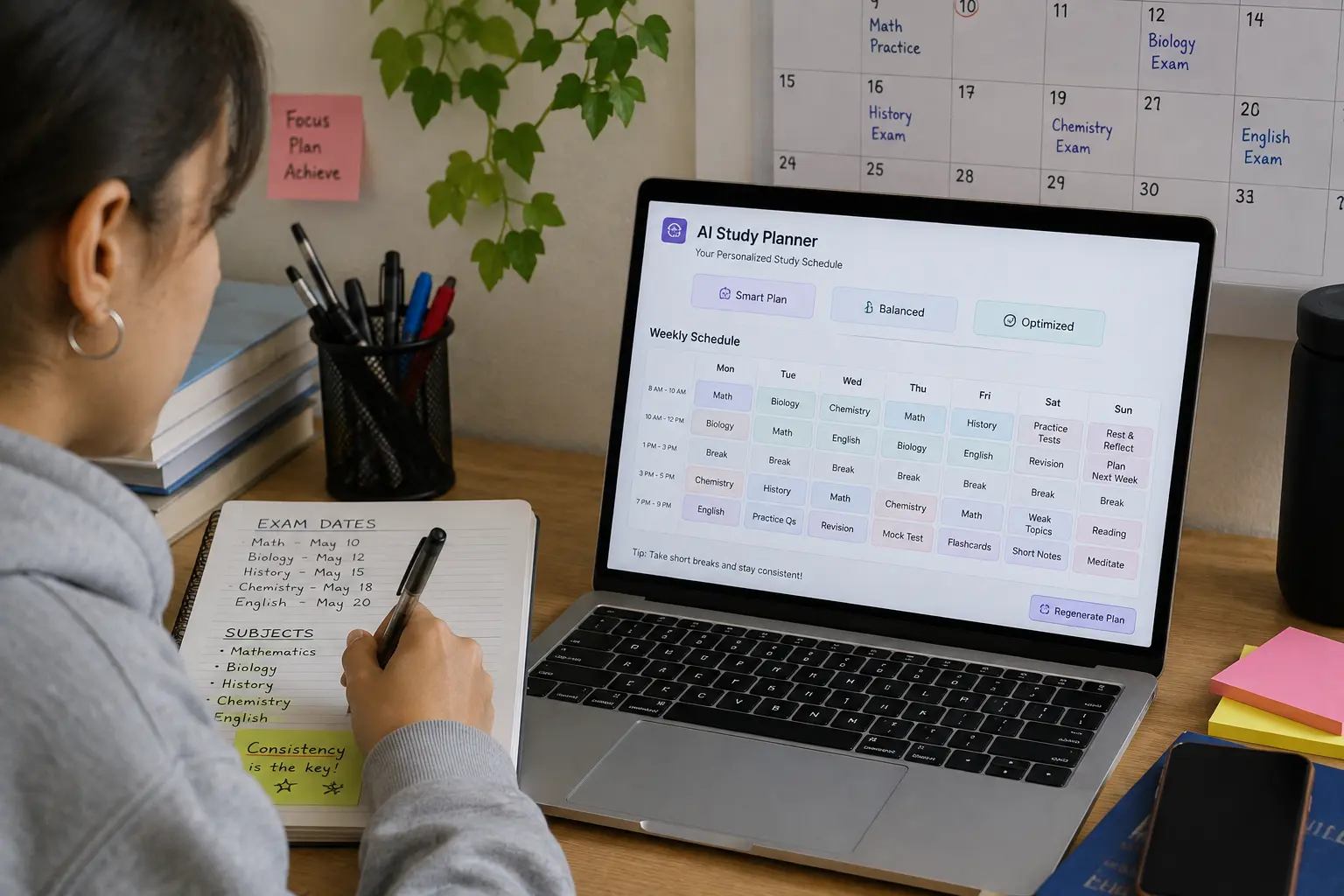
Creating a study schedule sounds simple until you actually have to fit several subjects, assignments, exams, personal commitments, and revision sessions into the same week. I have tried making study plans manually, and the hardest part is usually not writing down the subjects. It is figuring out how much time each subject actually needs and where everything should fit.
That is where I found it useful to create a study schedule with AI. Instead of starting with a blank calendar, I can give AI my subjects, available hours, deadlines, exam dates, and priorities and ask it to turn that information into a realistic study plan.
I have tested AI-assisted study workflows in different ways, and one thing became clear: AI works much better as a planning assistant when you give it actual constraints. If you simply ask, “Make me a study schedule,” the result can be generic. But if you explain when you are available, what you struggle with, and when your exams are coming up, the plan becomes much more practical.
In this guide, I will show you how to create a study schedule with AI, the prompts I would use, how to build an exam-focused plan, how to adjust it when you fall behind, and how to avoid creating a schedule that looks impressive but is impossible to follow.
Why Use AI to Create a Study Schedule?
The biggest problem with manual planning is that students often underestimate how much time everything requires.
You may think:
“I’ll study biology for two hours tonight.”
But then you realize you also have:
- A mathematics assignment
- A history chapter to read
- Chemistry revision
- A presentation to prepare
- An upcoming test
- Personal commitments
Suddenly, the original plan doesn’t work.
An AI study planner can help you organize these competing priorities into a structured schedule.
You can provide information such as:
- Subjects
- Exam dates
- Assignment deadlines
- Available study hours
- Strong subjects
- Weak subjects
- Preferred study times
- Break requirements
- Number of days remaining
- Current progress
AI can then use those constraints to propose a schedule.
It is not a replacement for your own judgment. I treat it more like a planning assistant that helps me turn a messy list of responsibilities into something I can actually work with.
If you are already using AI to organize your learning material, this fits naturally with the workflow in our guide on how to use AI tools for studying.
How to Create a Study Schedule With AI
1. Start by Listing Everything You Need to Study
Before asking AI to create a schedule, collect the information it needs.
Don’t just list your subjects.
For example:
Biology
- Cell biology
- Genetics
- Evolution
- Ecology
Mathematics
- Algebra
- Calculus
- Statistics
History
- Chapter 1
- Chapter 2
- Chapter 3
- Essay preparation
This gives AI a better understanding of your actual workload.
You can also include your current confidence level.
For example:
| Subject | Confidence |
|---|---|
| Biology | Medium |
| Mathematics | Low |
| History | High |
| Chemistry | Medium |
This matters because equal study time doesn’t necessarily make sense.
If mathematics is your weakest subject, it may deserve more attention than a subject you already understand well.
2. Add Your Exam and Assignment Deadlines
Next, tell AI exactly when your deadlines are.
For example:
- Mathematics exam — May 20
- Biology exam — May 24
- History essay — May 17
- Chemistry test — May 27
Then tell it today’s date or how many days you have available.
A useful prompt is:
I have 14 days before my exams. My mathematics exam is on May 20, biology is on May 24, and chemistry is on May 27. I also have a history essay due on May 17. Help me prioritize my study time based on these deadlines.
This is much more useful than asking for a generic “2-week study plan.”
3. Tell AI How Much Time You Actually Have
This is one of the most important steps.
Don’t tell AI you can study for eight hours every day if you know you won’t.
Be realistic.
For example:
Monday to Friday: 2 hours available after 7 PM
Saturday: 5 hours available
Sunday: 4 hours available
I need at least 30 minutes of breaks during longer sessions.
Now AI has real constraints.
You can even include your preferred study time:
I concentrate better in the evening, so schedule difficult subjects after 7 PM whenever possible.
A schedule based on your actual availability is much more likely to survive beyond day one.
My First AI Study Schedule Prompt
If I wanted AI to create the first version of my plan, I would use something like this:
I need help creating a realistic study schedule. I have the following subjects: Biology, Mathematics, Chemistry, and History. My exams and deadlines are [list dates]. I have [X] hours available Monday-Friday and [X] hours on weekends. Mathematics is my weakest subject and History is my strongest. Create a study schedule that prioritizes difficult subjects and upcoming deadlines. Include breaks and revision sessions. Do not schedule more study time than I have available.
That final sentence is important.
You want AI to work within your real life rather than creating an unrealistic timetable.
7 Smart Ways to Use AI for Study Planning
1. Build a Weekly Study Schedule
The simplest use is creating a schedule for the next seven days.
For example:
Create a weekly study schedule for me from Monday to Sunday. I have two hours available on weekdays and four hours each weekend day. Prioritize my upcoming mathematics exam while keeping my other subjects active.
AI can then organize your week.
A sample plan might look like:
| Day | Session 1 | Session 2 |
|---|---|---|
| Monday | Mathematics | Biology |
| Tuesday | Chemistry | Mathematics |
| Wednesday | History | Biology |
| Thursday | Mathematics | Chemistry |
| Friday | Biology | Review |
| Saturday | Mathematics | Chemistry |
| Sunday | Weekly revision | Practice test |
The exact schedule will depend on your workload, but the structure is easy to adjust.
2. Create an Exam Countdown Plan
This is much more useful when an exam is approaching.
Suppose you have 21 days before an exam.
Instead of studying randomly, ask:
I have 21 days before my biology exam. Divide my preparation into three phases: learning, practice, and revision. Allocate more time to topics I struggle with and leave the final two days for review and practice tests.
You can then break your preparation into stages.
Days 1–10: Learn
Cover the material and identify weak areas.
Days 11–17: Practice
Use questions, exercises, and application-based problems.
Days 18–21: Revise
Focus on mistakes, difficult concepts, and high-priority topics.
This is more useful than repeating the same type of studying every day.
3. Make a Schedule Around Your Weak Subjects
One mistake I have made when planning study sessions is giving every subject equal time.
That sounds fair, but it isn’t always efficient.
Suppose you have:
- Mathematics — low confidence
- Biology — medium confidence
- History — high confidence
You could tell AI:
Allocate approximately 40% of my study time to Mathematics, 35% to Biology, and 25% to History. Include regular review sessions so I don’t completely ignore my stronger subjects.
Now the schedule reflects your actual needs.
4. Create a Revision Schedule From Your Existing Notes
AI doesn’t have to create a plan from scratch.
If you already have lecture notes, summaries, or study guides, you can use those materials to identify what needs reviewing.
For example, if you’ve already created structured material from your notes, you can tell AI:
Here is my study guide. Identify the major topics and create a seven-day revision schedule. Give more time to complex topics and less time to concepts that require only memorization.
This works particularly well with the workflow from our article on how to turn lecture notes into study guides.
The advantage is that your schedule is based on your actual course material, not a generic curriculum.
5. Create a Schedule Based on Your Energy Levels
Not every hour of the day is equally productive.
For example, I might find difficult analytical work easier when I am fresh and simple memorization easier when I’m tired.
You can tell AI:
I have the most concentration between 7 PM and 9 PM. Schedule difficult subjects during that period and use later sessions for reviewing flashcards or reading.
Now your schedule considers more than just available time.
For example:
7:00–7:50 PM
Mathematics problem solving
7:50–8:00 PM
Break
8:00–8:50 PM
Biology concepts
8:50–9:00 PM
Quick review
That is more practical than saying “study biology from 7–9.”
6. Add Flashcard Sessions
A good study plan should not consist entirely of reading.
You can include active recall by adding flashcard sessions.
For example:
Add 20-minute flashcard review sessions after my main study blocks. Use them for definitions and facts rather than replacing my main learning sessions.
If you’re creating flashcards from PDFs, you can use the workflow in our guide on how to make flashcards from a PDF with AI.
This creates a connected system:
Learn → Practice → Recall → Review
Instead of:
Read → Read again → Hope you remember
7. Ask AI to Rebuild the Plan When You Fall Behind
This is one of the most useful features.
Because realistically, you will sometimes miss a study session.
Maybe you had an assignment that took longer than expected. Maybe you were traveling. Maybe you simply didn’t have the energy.
Don’t throw away the entire plan.
Tell AI:
I missed my Tuesday and Wednesday study sessions. I now have five days before my exam. Rebuild my study schedule using the remaining time. Prioritize the most important topics and don’t create more than three hours of study per day.
AI can redistribute the remaining workload.
This is much better than trying to cram everything into one day.
A Real Example of Building an AI Study Schedule
Let’s say I have three exams.
My Situation
Biology: 10 days away
Mathematics: 14 days away
History: 18 days away
My confidence levels:
- Biology — Medium
- Mathematics — Low
- History — High
Available time:
- Monday–Friday: 2 hours
- Saturday: 4 hours
- Sunday: 3 hours
I would tell AI all of this.
Then I would add:
I struggle most with mathematics. Biology has the nearest exam. History is my strongest subject. Prioritize my time accordingly but include at least two review sessions for every subject. I want one full rest evening per week.
That final instruction is something I would strongly recommend.
A study plan that leaves you exhausted every day isn’t necessarily a good plan.
What the Result Might Look Like
Monday
45 min — Biology
10 min — Break
55 min — Mathematics
Tuesday
60 min — Mathematics
10 min — Break
40 min — Biology
10 min — Flashcards
Wednesday
50 min — Biology
10 min — Break
50 min — History
Thursday
60 min — Mathematics
10 min — Break
40 min — Biology
Friday
Rest / light flashcard review
Saturday
90 min — Mathematics
15 min — Break
75 min — Biology
30 min — Practice questions
Sunday
60 min — History
60 min — Mathematics
30 min — Weekly review
The important thing isn’t the exact timetable.
It’s the logic behind it:
Nearest deadline + weakest subject + available time + revision + recovery.
Use AI to Break Large Subjects Into Smaller Tasks
One of the biggest problems with study schedules is vague tasks.
“Study Biology” isn’t a useful task.
It’s too broad.
Instead, ask AI to break it down.
For example:
Break my Biology syllabus into specific study tasks that can each be completed in 30–60 minutes.
You might get:
- Review cell structure
- Learn membrane transport
- Practice genetics terminology
- Review Mendelian inheritance
- Complete 15 genetics questions
- Review incorrect answers
Now you can put actual tasks into your calendar.
That makes it much easier to start.
Don’t Ask AI to Schedule Every Minute
This is something I would avoid.
A schedule like:
7:00–7:17 — Read Chapter 4
7:17–7:34 — Memorize definition 1
7:34–7:51 — Memorize definition 2
looks organized but becomes frustrating as soon as something takes longer than expected.
I prefer flexible blocks.
For example:
7:00–8:00 — Genetics
Then decide what to complete during that block.
This gives you structure without making the schedule too rigid.
Use AI to Create a “Minimum Day” Plan
This is a trick I find useful.
Not every day will be a high-productivity day.
Ask AI:
Create a minimum study plan for days when I have very little energy. It should take no more than 30 minutes but still help me maintain progress.
A minimum day might include:
- 10 minutes reviewing flashcards
- 10 minutes reviewing difficult concepts
- 10 minutes answering practice questions
This is better than abandoning your study routine entirely.
Use AI to Create a Catch-Up Plan
Another useful prompt:
I have fallen three days behind my study schedule. I cannot increase my study time beyond two hours per day. Create a catch-up plan that prioritizes the most important topics and removes low-priority tasks.
This is important because catching up doesn’t mean doing everything you missed.
You need to prioritize.
AI can help you identify what can be postponed or removed.
How to Create a Study Schedule With AI Without Overloading Yourself
A common mistake is asking AI to fit every available minute into studying.
You may end up with:
- 5 hours of study
- No breaks
- No rest
- No flexibility
- No time for unexpected tasks
It looks productive on paper but is difficult to maintain.
Instead, tell AI:
Create a realistic schedule with reasonable breaks and at least one flexible block per day for unexpected tasks.
That one instruction can make the schedule much more practical.
Include Buffer Time
For example, if you have three hours available, don’t automatically schedule three hours of studying.
You could use:
2 hours 20 minutes study
20 minutes breaks
20 minutes buffer
That gives you room when something takes longer than expected.
Best Prompts for an AI Study Planner
For a Weekly Plan
Create a realistic seven-day study schedule based on my subjects, deadlines, available time, and confidence levels. Include breaks and one flexible block each day.
For Exam Preparation
I have [X] days before my exam. Create a preparation plan divided into learning, practice, and revision phases. Prioritize my weakest topics.
For Multiple Exams
Create a study schedule for three upcoming exams. Prioritize subjects based on exam date, difficulty, and my current confidence level. Make sure every subject receives regular review.
For a Busy Student
Create a study schedule around my existing classes, work, and personal commitments. I have only [X] hours available per day and want a realistic plan rather than an intensive schedule.
For Catching Up
I am [X] days behind my study schedule. Rebuild my remaining plan without increasing my daily study limit. Prioritize the most important topics and remove low-priority tasks.
For a Daily Plan
Create a study plan for today using my available two hours. Prioritize the topics I struggle with most and include one short review session at the end.
How to Know Whether Your AI Study Schedule Is Actually Good
Don’t judge the schedule by how detailed it looks.
Ask yourself:
Is it realistic?
Can you actually complete it with your available time?
Does it prioritize?
Are your difficult subjects getting enough attention?
Does it include revision?
Learning something once isn’t enough.
Does it include practice?
You should be testing your understanding, not just reading.
Does it have flexibility?
Unexpected things happen.
Does it allow recovery?
A schedule that makes you exhausted isn’t sustainable.
If the answer to several of these is “no,” tell AI to revise it.
AI Should Help You Plan, Not Decide Everything
This is probably the most important point I would make.
AI doesn’t know exactly how you feel during every study session.
It doesn’t know whether your professor emphasizes a particular chapter in class unless you tell it.
It doesn’t automatically know which concepts you genuinely understand.
So I wouldn’t blindly follow an AI-generated schedule.
Use it as a starting point.
You can say:
This schedule gives too much time to History and not enough to Mathematics. Adjust it.
Or:
I completed Chapters 1 and 2 already. Remove them and use that time for Chapter 3.
The best schedule is iterative.
You create it, use it, evaluate it, and adjust it.
My Recommended AI Study Workflow
If I were preparing for an important exam today, this is how I would connect everything:
Step 1 — Gather the material
Collect lecture notes, PDFs, textbooks, and assignments.
Step 2 — Organize the material
Use AI to identify topics and create a structured study guide.
Step 3 — Create flashcards
Turn definitions, important facts, formulas, and concepts into flashcards.
Step 4 — Build a schedule
Give AI your deadlines, available time, weaknesses, and priorities.
Step 5 — Study actively
Use practice questions and flashcards instead of relying only on rereading.
Step 6 — Track mistakes
Write down concepts you repeatedly get wrong.
Step 7 — Adjust the schedule
Give difficult topics more time and reduce time spent on material you already understand.
Step 8 — Final revision
Use your quick-review material and high-priority flashcards before the exam.
This gives you a complete system:
Source Material → Study Guide → Flashcards → Schedule → Practice → Revision
And that is much more useful than simply asking an AI chatbot to “help me study.”
Common Mistakes When Creating an AI Study Schedule
Making the Schedule Too Ambitious
If you normally study for two hours, don’t suddenly schedule six hours every day.
Start with something you can maintain.
Giving AI Too Little Information
If you only say:
Make me a study plan.
The result will probably be generic.
Provide deadlines, available hours, subjects, difficulty, and priorities.
Treating Every Subject Equally
Your weakest subject may need more time.
Your strongest subject may only need maintenance and review.
Forgetting Practice
A schedule filled entirely with reading is incomplete.
Add practice questions, exercises, flashcards, and self-testing.
Ignoring Missed Sessions
Missing one session doesn’t mean the entire plan failed.
Rebuild the remaining schedule and continue.
Creating a Schedule Without Breaks
Breaks aren’t wasted time.
They make a long study session more manageable.
Following AI Blindly
Always adjust the plan based on your actual progress.
AI can organize your workload, but you are the one who knows whether you actually understand the material.
Final Thoughts
Learning how to create a study schedule with AI can make academic planning much easier, especially when you’re managing multiple subjects and deadlines at the same time.
From my experience, the biggest improvement comes when you stop asking AI for a generic timetable and start giving it real information: your available hours, exam dates, weak subjects, current progress, and preferred study times.
I also recommend building flexibility into the schedule. You will occasionally miss a session, spend longer than expected on a difficult topic, or have another responsibility appear. A good study plan should adapt rather than collapse.
The most useful approach is to combine AI planning with active learning. Use your study schedule to decide when you will study, study guides to decide what you need to understand, and flashcards and practice questions to test whether you actually remember it.
In other words, don’t use AI simply to create a prettier timetable. Use it to build a study system that you can realistically follow and improve over time.
Frequently Asked Questions
Can AI create a study schedule for me?
Yes. AI can create a study schedule based on your subjects, exam dates, available hours, priorities, and current level of understanding. The more specific information you provide, the more useful the schedule is likely to be.
How do I create a study schedule with AI?
Give an AI tool your subjects, deadlines, available study time, difficult topics, and preferred study hours. Then ask it to prioritize your workload and create a realistic schedule that includes breaks, revision, and practice.
What should I tell AI when creating a study plan?
Tell AI your exam dates, assignment deadlines, subjects, available study hours, strongest and weakest subjects, current progress, preferred study times, and any fixed commitments. You can also specify how much time you want to spend studying each day.
Can AI make a study schedule for multiple exams?
Yes. AI can organize multiple exams by considering their dates, difficulty, and your current confidence in each subject. Ask it to prioritize upcoming and difficult exams while still scheduling regular review for the others.
Can AI adjust my study schedule if I fall behind?
Yes. You can tell AI which sessions you missed, how many days remain, and how much time you have available. It can then help rebuild the remaining plan while prioritizing the most important topics.
Should I follow an AI-generated study schedule exactly?
Not necessarily. An AI-generated schedule should be treated as a starting point. Adjust it based on your actual progress, energy, commitments, and understanding of the material.
Is an AI study schedule better than making one manually?
AI can save time and help you consider multiple constraints at once, but it isn’t automatically better. The best schedule is one that reflects your actual workload and is realistic enough for you to follow consistently.
