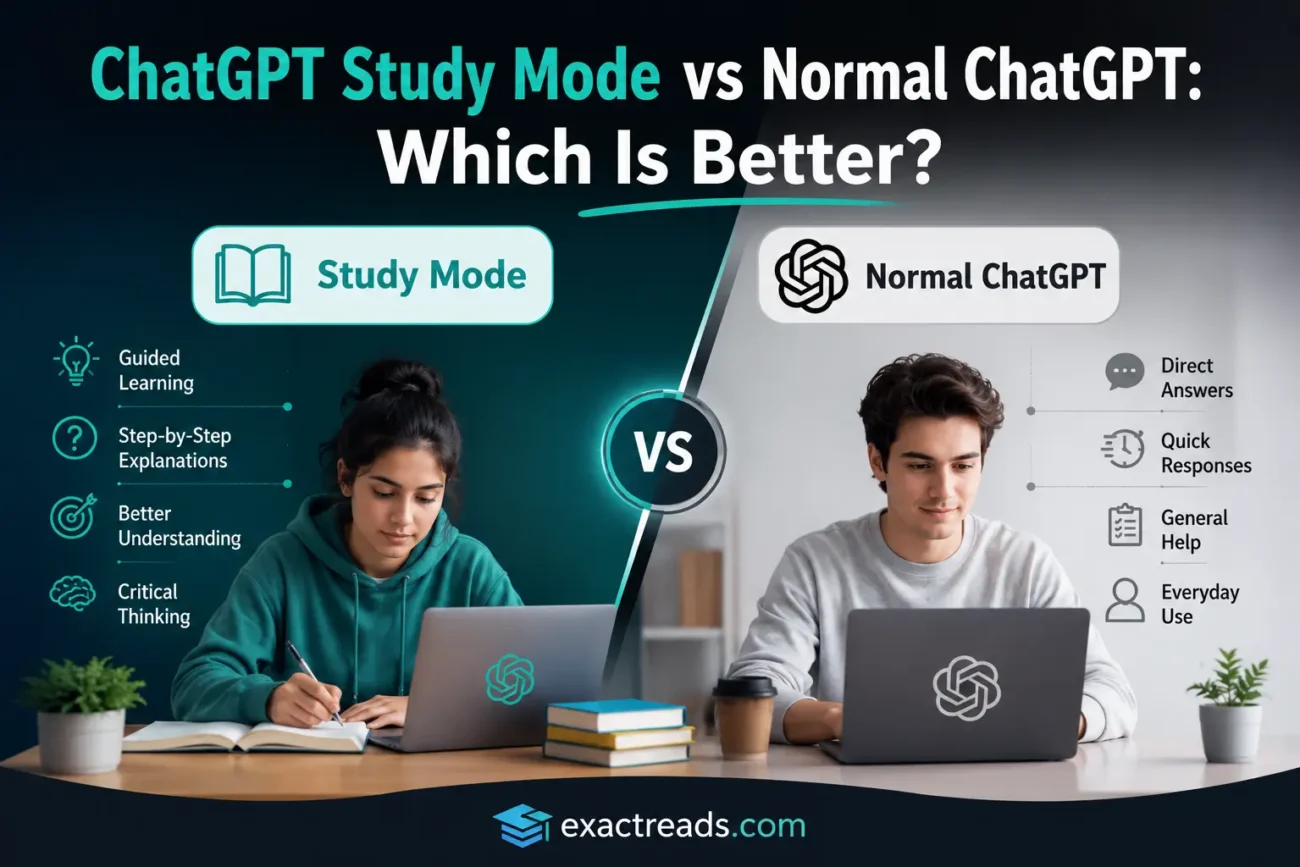
If you have been using ChatGPT for studying, you have probably noticed something important: getting an answer and actually learning something are not the same thing.
Normal ChatGPT can explain a difficult chapter, solve a math problem, summarize your notes, create questions, or give you an answer within seconds. That convenience is exactly why students have started using AI as part of their everyday study routine.
But there is a problem.
If ChatGPT does all the thinking for you, you can finish your homework while still not understanding the subject.
ChatGPT Study Mode is designed to approach learning differently. Instead of simply trying to get you to the final answer, it can guide you with questions, hints, step-by-step explanations, and knowledge checks. OpenAI says Study Mode is available globally across ChatGPT plans on web, iOS, and Android.
So, is ChatGPT Study Mode actually better than normal ChatGPT for studying?
After looking at how both approaches work, the answer isn’t simply “Study Mode is better.”
It depends on what you are trying to accomplish.
ChatGPT Study Mode vs Normal ChatGPT: The Quick Answer
If you want a quick explanation or direct answer, normal ChatGPT is usually faster.
If you want ChatGPT to help you understand something, challenge your thinking, and check whether you actually learned it, Study Mode is the better approach.
| Feature | Normal ChatGPT | ChatGPT Study Mode |
|---|---|---|
| Quick answers | Excellent | Less focused on this |
| Step-by-step learning | Can do it with the right prompt | Built around it |
| Asking questions | Yes | Strong focus |
| Knowledge checks | You need to request them | Designed into the experience |
| Exam preparation | Very useful | Particularly useful |
| Homework help | Very useful | Better for learning the process |
| Explaining difficult concepts | Yes | Yes, with guided learning |
| Practice questions | Yes | Yes |
| Learning from PDFs/notes | Yes | Yes |
| Giving the final answer immediately | Often | May guide you first |
| Best for | Speed and flexibility | Understanding and retention |
The key difference isn’t that normal ChatGPT suddenly becomes “bad” at teaching.
It’s that Study Mode makes the learning process the center of the interaction.
What Is ChatGPT Study Mode?
ChatGPT Study Mode is a learning experience designed to help users build a deeper understanding of a topic rather than simply receiving a final answer.
According to OpenAI, Study Mode can:
- Ask questions about what you already know
- Guide your reasoning
- Break difficult concepts into smaller steps
- Explain concepts in layers
- Give hints
- Check your understanding
- Create practice questions
- Help with exam preparation
- Work with notes, PDFs, slides, worksheets, images, and other study material
That makes it fundamentally different from the way many students traditionally use ChatGPT.
Instead of:
Question → AI answer → done
the intended workflow is closer to:
Question → explanation → thinking → practice → feedback → correction
And that difference matters.
How Normal ChatGPT Usually Works for Students
Let’s say you are struggling with a physics concept.
You could open ChatGPT and write:
“Explain Newton’s third law in simple language with an example.”
ChatGPT can give you an explanation almost immediately.
That’s useful.
But what happens next?
You read the explanation, think:
“Okay, I understand.”
Then you move on.
The problem is that recognition is not necessarily understanding.
You might understand the explanation while reading it but struggle to explain the concept yourself five minutes later.
Normal ChatGPT can still be used much more effectively. For example, you could tell it:
“Don’t give me the answer immediately. Ask me questions and help me figure it out.”
Now you are essentially asking normal ChatGPT to behave more like Study Mode.
And that’s an important point:
The quality of your learning doesn’t depend only on which button you press. It also depends on how you use AI.
How ChatGPT Study Mode Changes the Interaction
Study Mode is designed around guided learning.
Instead of immediately solving your problem, it can ask what you already understand, identify where you’re stuck, and guide you through the reasoning.
For example, instead of asking:
“What is the answer to this equation?”
you can approach the problem as:
“Help me solve this step by step. Don’t give me the final answer until I’ve tried each step myself.”
Study Mode is designed to support this type of interaction with questions, hints, explanations, and knowledge checks.
It can also adjust the explanation.
If something is too complicated, you can ask:
“Explain that like I’m completely new to this.”
Or:
“Give me an example before explaining the formula.”
Or:
“Ask me one question at a time.”
This makes the conversation feel less like searching for an answer and more like working with a tutor.
The Biggest Difference: Study Mode Makes You Participate
This is the part I think students should pay the most attention to.
AI can make studying incredibly easy—and that’s sometimes the problem.
Imagine you have a difficult homework question.
Normal approach
You paste the question.
ChatGPT solves it.
You copy the method.
You move on.
You completed the task.
But did you learn the method?
Study-focused approach
You paste the question.
ChatGPT asks what you think the first step should be.
You answer.
It identifies a mistake.
It gives you a hint.
You try again.
Then it explains the underlying concept.
Finally, it gives you another similar question.
Now you have actually practiced the skill.
That’s a much better use of AI for learning.
Research into ChatGPT and education has also highlighted the importance of how AI is used rather than simply whether AI is used. A 2026 meta-analysis of experimental studies reported positive effects overall but found differences depending on instructional approach.
ChatGPT Study Mode for Exam Preparation
This is where Study Mode becomes particularly interesting.
Suppose your exam is coming up and you have five chapters to revise.
Instead of asking:
“Summarize these five chapters.”
Try:
“I’m preparing for an exam. First identify the most important concepts from these materials. Then quiz me one question at a time. Don’t show me the answer until I respond. Track the topics I get wrong and revisit them later.”
That’s much closer to an actual study session.
Study Mode can work with uploaded class notes, slides, PDFs, worksheets, syllabi, textbook excerpts, and images when those uploads are available.
For exam preparation, I’d use it for:
- Concept revision
- Practice questions
- Identifying weak areas
- Explaining mistakes
- Mock tests
- Flashcard-style review
- Step-by-step problem solving
And don’t just ask it to tell you what you got wrong.
Ask:
“Why did I make this mistake?”
That question can be more valuable than the answer itself.
A Study Mode Prompt I Would Actually Use
Here’s a simple prompt you can adapt:
“I am preparing for [subject/topic]. I want to actually learn this rather than just get answers. Start by asking me what I already know. Then teach me step by step. Ask me questions one at a time, let me answer before continuing, and give me hints instead of immediately revealing the answer. If I make a mistake, explain what went wrong and give me another question that tests the same concept.”
This changes the role of ChatGPT.
You’re no longer saying:
“Do my studying.”
You’re saying:
“Help me study.”
That distinction is huge.
Can You Use Study Mode With Your Own Notes?
Yes.
This is one of its most useful applications.
You can provide relevant study materials such as:
- Lecture notes
- PDFs
- Slides
- Worksheets
- Syllabus
- Textbook excerpts
- Images of problems
Study Mode can use those materials while helping you learn. OpenAI specifically recommends telling it which page, section, or question to focus on when working with uploaded material.
For example:
“I’ve uploaded my biology notes. Only use these notes for this session. First identify five important concepts. Then test me on them one at a time. Don’t show answers before I respond.”
That’s far more useful than simply saying:
“Summarize this PDF.”
What About Normal ChatGPT? Don’t Stop Using It
This isn’t an argument for abandoning normal ChatGPT.
There are plenty of situations where normal ChatGPT is actually the better choice.
Use normal ChatGPT when you need:
- A quick definition
- A simple explanation
- Brainstorming
- Help creating a study schedule
- A quick summary
- Help rewriting notes
- An example
- A quick comparison
- Help organizing information
If you’re asking:
“What is photosynthesis?”
you don’t necessarily need a 20-minute tutoring session.
Sometimes you just need a clear explanation.
That’s where normal ChatGPT wins.
When Study Mode Is Better
Study Mode becomes more valuable when the goal is mastery rather than speed.
I’d choose it when:
You don’t understand a concept
Ask it to teach rather than simply answer.
You’re preparing for an exam
Have it quiz you and identify weak areas.
You’re solving difficult problems
Make it guide your reasoning instead of doing the problem for you.
You’re studying from a specific syllabus
Give it the relevant material and make it work within that context.
You keep making the same mistake
Ask it to identify the misconception behind your mistake and test you again.
The “Homework Machine” Problem
Here’s the biggest mistake I would avoid.
Don’t turn ChatGPT into a homework machine.
If you paste every assignment into ChatGPT and copy the responses, you’re optimizing for completion.
Not learning.
And there’s another issue: ChatGPT can still make mistakes. OpenAI itself warns that Study Mode can produce incorrect information and recommends checking important information.
So even when Study Mode is guiding you, don’t assume:
“The AI said it, so it must be correct.”
For important coursework, compare explanations against your textbook, teacher’s material, or other reliable sources.
And always follow your school’s or instructor’s AI-use rules for graded work.
One Simple Rule: Don’t Ask AI to Do What You Need to Learn
This is probably the most useful rule I can give you.
If you’re studying how to solve quadratic equations, don’t ask AI to solve every quadratic equation.
Ask it to give you one.
Try it yourself.
Then ask it to check your reasoning.
If you’re learning history, don’t ask AI to write the entire explanation every time.
Ask it questions.
Then explain the event back in your own words.
If you’re learning biology, don’t just read AI-generated summaries.
Ask AI to quiz you.
The goal is to move from:
AI does → student reads
to:
AI guides → student thinks → student answers → AI gives feedback
That’s where Study Mode has a real advantage.
Study Mode Isn’t Magic
This is important.
The name Study Mode doesn’t mean every response will automatically be perfect teaching.
OpenAI says Study Mode can sometimes give direct answers, and users can explicitly ask it to provide hints, quiz them, or guide them step by step.
It can also make mistakes.
And if you give it vague instructions, you may not get the kind of learning experience you expected.
That’s why I recommend telling it:
- Your education level
- Subject
- Exact topic
- What you already know
- What you’re struggling with
- Your exam or assignment goal
- How much time you have
OpenAI’s own guidance recommends providing this context for better Study Mode interactions.
A Better Way to Use Study Mode
Instead of treating Study Mode as a button that magically makes ChatGPT teach better, build a proper session.
Step 1: Tell it your level
For example:
“I’m a first-year college student.”
Step 2: Give it the topic
“I’m studying introductory economics.”
Step 3: Explain your goal
“I have an exam next week.”
Step 4: Tell it what you know
“I understand supply and demand but struggle with elasticity.”
Step 5: Give it your material
Upload your notes or relevant course material if appropriate.
Step 6: Make it test you
Don’t just read.
Answer.
Step 7: Repeat weak areas
If you get something wrong, don’t immediately move on.
Ask for another question about the same concept.
That is where the learning happens.
My Favorite Study Mode Workflow
If I were setting up an AI-assisted study session, I’d use this five-stage system:
1. Learn
Ask Study Mode to explain the concept.
2. Recall
Close the notes and explain it yourself.
3. Practice
Solve a new problem without looking at the solution.
4. Check
Ask ChatGPT to evaluate your reasoning.
5. Revisit
Come back to the concepts you got wrong.
That is much stronger than:
Read → summarize → read another summary → feel productive.
Study Mode vs Normal ChatGPT: Which One Should You Use?
Here’s my practical decision:
Need a quick answer?
→ Normal ChatGPT
Need to understand a difficult concept?
→ Study Mode
Need to solve one quick problem?
→ Normal ChatGPT
Need to learn how to solve a type of problem?
→ Study Mode
Need a quick summary?
→ Normal ChatGPT
Need to prepare for an exam?
→ Study Mode
Need to brainstorm a study plan?
→ Normal ChatGPT
Need to test whether you actually understand the material?
→ Study Mode
Need to check your reasoning?
→ Study Mode
Need to finish something quickly?
→ Normal ChatGPT
But here’s the catch:
Finishing faster isn’t always the same as learning better.
Is ChatGPT Study Mode Actually Better for Learning?
For learning-oriented tasks, I would generally choose Study Mode.
Not because normal ChatGPT is incapable of teaching.
It is because Study Mode is specifically designed to encourage a more interactive learning process: questions, hints, step-by-step guidance, explanations, and knowledge checks.
But I wouldn’t use Study Mode for absolutely everything.
A good student workflow uses both.
Normal ChatGPT = fast assistant
Study Mode = learning partner
And knowing when to switch between them is more useful than asking which one is universally better.
How to Turn On ChatGPT Study Mode
On the web, OpenAI currently says you can start a ChatGPT conversation and select Study from the tools/menu, or type @study. Study Mode is also available through the ChatGPT experience on iOS and Android.
The exact interface can change as ChatGPT evolves, so if the buttons look different, look for Study in the available tools.
You can also access the dedicated Study Mode experience through ChatGPT Study Mode.
Final Verdict
ChatGPT Study Mode isn’t simply “normal ChatGPT but smarter.”
The bigger difference is the learning behavior it encourages.
Normal ChatGPT is incredibly useful when you want information quickly.
Study Mode becomes more useful when you want to work through the information, test yourself, make mistakes, receive feedback, and gradually understand the material.
That’s why I wouldn’t ask:
“Which version gives me the fastest answer?”
I’d ask:
“Which one makes me capable of answering the question myself later?”
If the goal is genuine learning, that’s the test that matters.
And personally, that’s how I’d approach AI studying in 2026: use normal ChatGPT when speed matters, but switch to Study Mode when the thing you’re trying to improve is your own understanding.
FAQs
What is the difference between ChatGPT and ChatGPT Study Mode?
Normal ChatGPT is a general-purpose assistant that can answer questions, explain concepts, summarize information, and help with many tasks. Study Mode is specifically designed around guided learning, using questions, hints, step-by-step explanations, and knowledge checks.
Is ChatGPT Study Mode free?
OpenAI currently states that Study Mode is available across ChatGPT plans globally on web, iOS, and Android. Availability of other ChatGPT features can vary by plan and platform.
Can ChatGPT Study Mode help with exams?
Yes. Study Mode can help students review material, create practice questions, work through problems step by step, identify weak areas, and prepare for tests and exams.
Can I upload PDFs to ChatGPT Study Mode?
Yes, when file uploads are available in your chat. OpenAI says Study Mode can work with materials such as PDFs, class notes, slides, worksheets, syllabi, textbook excerpts, and images.
Is Study Mode better than normal ChatGPT?
It depends on the task. Normal ChatGPT is often better when you need a quick answer or simple explanation. Study Mode is more appropriate when you want guided practice, questioning, feedback, and deeper understanding.
Can ChatGPT Study Mode make mistakes?
Yes. Study Mode can make mistakes, so important information should still be verified, particularly for high-stakes or graded work.
Can ChatGPT Study Mode do my homework for me?
It can help you understand and work through homework, but using it simply to generate answers defeats much of the learning benefit. For graded work, you should also follow your school’s or instructor’s AI-use policies.
What is the best way to use ChatGPT for studying?
Use it as a learning partner rather than an answer machine. Ask it to explain difficult concepts, quiz you, give hints, evaluate your reasoning, identify weak areas, and create additional practice questions.
