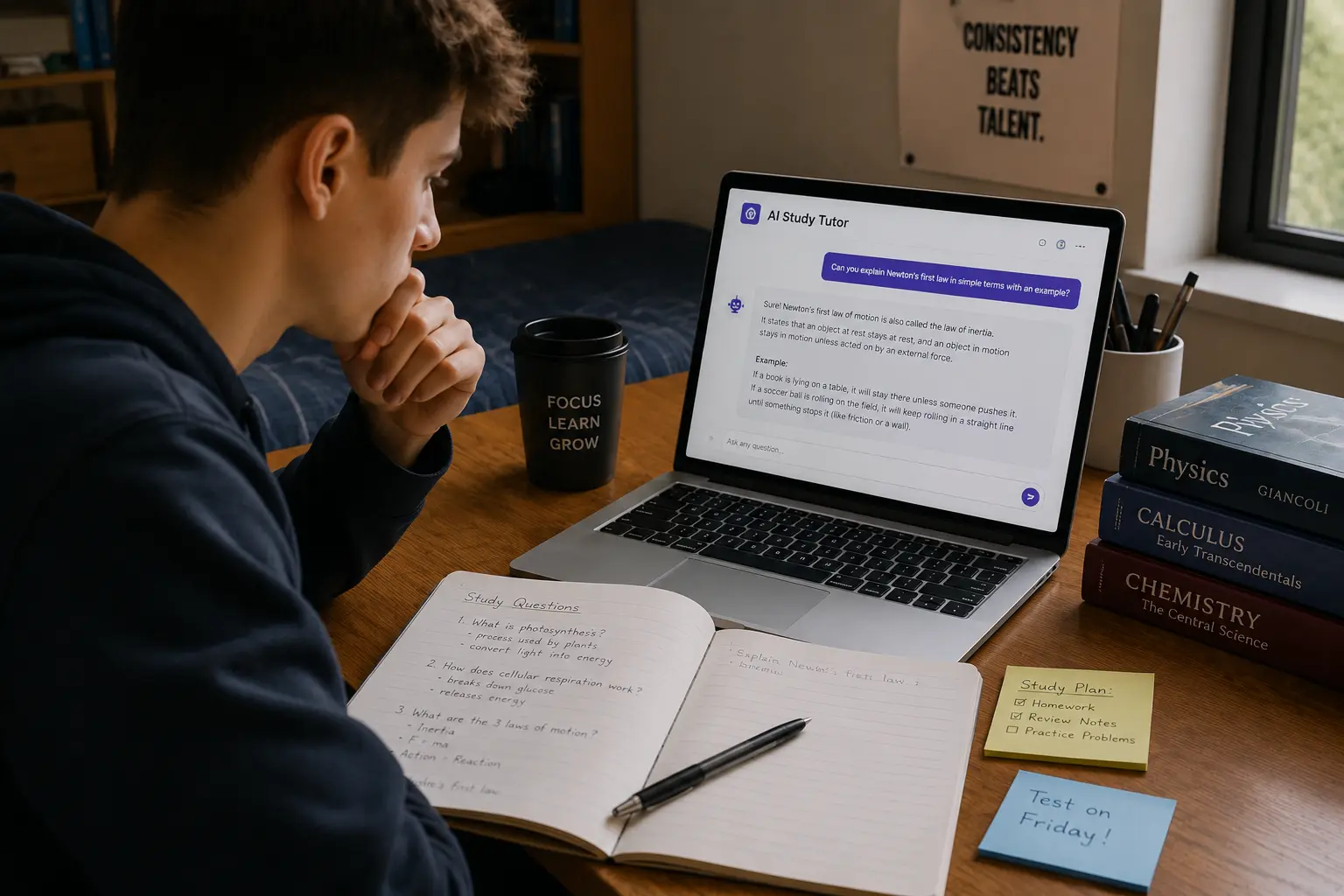
There are two very different ways to use AI when you’re studying.
The first one is:
“Give me the answer.”
The second is:
“Help me figure this out.”
I’ve found the second approach much more interesting.
If you ask AI for the answer every time you get stuck, you can finish your homework quickly without necessarily understanding anything. But if you make AI behave more like a patient tutor—one that explains things, asks questions, gives hints, challenges your reasoning, and notices where you’re struggling—it becomes much more useful.
That’s why I like the idea of using AI as a study tutor rather than simply using it as an answer generator.
You can tell it to explain calculus using a real-world example, quiz you on biology, challenge your history argument, simplify a complicated paragraph, or refuse to give you the answer until you’ve made a genuine attempt.
And yes, you can even tell it:
“Don’t tell me the answer yet. I want to struggle with it for a minute.”
That might be one of the most useful instructions you can give an AI tutor.
In this guide, I’ll show you how to use AI as a study tutor, including nine practical methods, prompts I’ve found useful, ways to make AI adjust to your level, and a few mistakes that can turn your “AI tutor” into nothing more than a very fast homework-answer machine.
What Makes an AI Tutor Different From an AI Answer Machine?
Let’s imagine you’re stuck on a math problem.
You ask:
How do I solve this equation?
An answer-machine approach might immediately provide:
- Step 1
- Step 2
- Step 3
- Final answer
Problem solved.
Except… you didn’t solve it.
Now try this:
I’m stuck on this equation. Don’t solve it for me. Ask me what I’ve tried and give me one hint at a time. If I make a mistake, explain the mistake without completing the problem for me.
That’s a completely different interaction.
Now you’re participating.
The AI is helping you think rather than doing all the thinking for you.
That distinction matters because retrieval practice—bringing information back from memory rather than simply rereading it—is an evidence-supported learning strategy. The Learning Scientists also highlight retrieval practice and spaced practice as broadly useful learning strategies.
So my goal isn’t:
AI does the work → I submit the work.
It’s:
AI guides me → I do the thinking → AI gives feedback → I improve.
9 Smart Ways to Use AI as a Study Tutor
1. Tell AI to Teach You at Your Level
One of the first things I’d tell an AI tutor is:
“Don’t assume I already understand this.”
If you ask:
Explain quantum mechanics.
You might get a technically correct answer that sounds like it was written for someone who already has a physics degree.
Not exactly helpful.
Instead, tell it:
I’m a first-year college student with basic physics knowledge. Explain quantum mechanics using simple language and one everyday analogy. Avoid advanced mathematics for now.
Now you’re giving the tutor a level.
You can even make it dynamic:
Start at a beginner level. After explaining each concept, ask me one question. If I answer correctly, gradually increase the difficulty.
Now the AI isn’t simply explaining.
It’s teaching and checking.
2. Use the “Don’t Give Me the Answer” Rule
This might be my favorite rule for AI tutoring.
Tell AI:
Don’t give me the final answer immediately. Ask what I already know, then give me one hint at a time. Only provide the complete solution if I specifically ask for it.
Let’s say you’re solving a physics problem.
You ask:
A car accelerates from 10 m/s to 30 m/s in 5 seconds. How do I calculate acceleration?
Instead of:
Acceleration = 4 m/s².
Your AI tutor could ask:
What formula connects change in velocity with time?
You:
a = change in velocity / time?
AI:
Correct. What is the change in velocity here?
You:
20 m/s.
AI:
Great. Now substitute that into the formula.
You’re still doing the actual work.
That’s the point.
3. Make AI Socratic
If you want AI to behave more like a tutor, ask it to use the Socratic method.
Try:
Act as a Socratic tutor. Don’t immediately explain the answer. Instead, ask me questions that help me reason toward the answer myself. If I make a mistake, ask a question that helps me identify the problem.
This works especially well for:
- Philosophy
- History
- Literature
- Science
- Mathematics
- Essay writing
- Critical thinking
For example, instead of asking:
Was the Industrial Revolution beneficial?
you could ask AI:
Challenge my argument about whether the Industrial Revolution was beneficial. Ask me questions that force me to consider economic, social, and environmental consequences.
Now you’re debating.
That’s much more engaging than reading a 700-word explanation and nodding along.
4. Make AI Explain the Same Thing Three Different Ways
Sometimes the problem isn’t that you’re bad at a subject.
The explanation is just bad for your brain.
If one explanation doesn’t click, don’t immediately give up.
Ask:
Explain this concept in three ways:
- Like I’m 12 years old.
- Using a real-world analogy.
- Using the proper academic explanation.
For example, suppose you’re learning opportunity cost.
AI could explain it using:
Simple version
Choosing one option means giving up another.
Real-world example
If you spend Saturday studying instead of working a paid shift, the money you could have earned is part of your opportunity cost.
Academic version
Opportunity cost represents the value of the next-best alternative forgone when a choice is made.
Three explanations.
Same concept.
Different mental doors.
5. Ask AI to Find the Exact Point Where You’re Confused
This is an underrated technique.
Sometimes you know you’re confused but can’t explain why.
Tell AI:
I’m confused about this topic, but I’m not sure exactly where the confusion starts. Ask me five short questions to diagnose what I understand and where my misunderstanding begins.
This turns the AI into a diagnostic tutor.
For example:
Topic: Photosynthesis
AI might discover that you understand chlorophyll but confuse:
- Light-dependent reactions
- Calvin cycle
- ATP
- NADPH
Now you don’t need another 90-minute explanation of all of photosynthesis.
You know exactly where the problem is.
6. Turn Your Notes Into a Private Tutor
This is where AI becomes particularly useful.
Instead of asking general questions, give AI your actual study material.
Then say:
Use these notes as my study material. Teach me one topic at a time. Ask questions to check whether I understand each section. Do not introduce information that isn’t necessary unless I ask for additional context.
This is much better than:
Teach me biology.
Because the AI now knows what your course is actually covering.
If your notes are messy, you can organize them first using our guide on turning lecture notes into study guides with AI.
Then use the organized material as your tutor’s source.
You can even create a workflow:
Lecture notes → Study guide → AI tutor → Quiz → Revision
7. Make AI Test You Immediately After Teaching
Here’s a mistake I’ve made before:
You understand something while the explanation is happening.
Then five minutes later…
Gone.
That’s why I like adding a test immediately after learning.
Tell AI:
After explaining each concept, don’t ask me if I understand it. Give me a question that requires me to demonstrate that I understand it.
That’s an important difference.
Don’t ask:
“Does that make sense?”
Because the answer is usually:
“Yeah.”
Even when it doesn’t.
Instead:
“Explain why X happens.”
Now you have to prove it.
This is where retrieval practice becomes useful: you have to pull the concept out of memory instead of simply recognizing it in the explanation.
8. Ask AI to Be Your “Examiner From Hell”
Okay, this one is fun.
Once you’ve learned a topic, say:
You’ve been my friendly tutor. Now switch roles and become an extremely difficult examiner. Give me 10 questions designed to expose shallow understanding. Include tricky comparisons, applications, and common misconceptions. Don’t make the questions impossible, but don’t make them comfortable either.
Now the friendly tutor disappears.
The examiner arrives.
You may suddenly discover that:
“I totally understand this chapter.”
actually meant:
“I’ve read this chapter three times.”
Those are not the same thing.
9. Make AI Build a Spaced Revision Loop
This is where I’d take the AI tutor beyond one study session.
Don’t just learn something once.
Ask:
I studied these concepts today. Create a short review schedule for me over the next two weeks. Each review should use retrieval questions rather than simply asking me to reread my notes.
Spacing study sessions over time is different from cramming everything into one session, and research-based learning guidance emphasizes spaced practice as a useful strategy for longer-lasting learning.
For example:
Day 1: Learn + quiz
Day 3: 5-question recall
Day 6: Mixed quiz
Day 10: Difficult application questions
Day 14: Final test
Now your AI tutor isn’t just helping you study today.
It’s helping you revisit the material later.
The Best AI Tutor Prompt I’ve Used
If you only want one prompt from this article, start with this:
Act as my personal study tutor. Your job is to help me understand the material rather than simply give me answers. First ask what I already know and what I’m struggling with. Explain concepts at my current level using simple examples when helpful. After each explanation, ask me a question to check my understanding. When I make a mistake, don’t immediately give me the answer—give me a hint and let me try again. Gradually increase the difficulty as I improve. Use my uploaded notes as the primary source when available. If something isn’t supported by my notes, tell me instead of guessing. At the end of each session, summarize my weak areas and give me a short practice task.
That’s the kind of prompt that changes the AI from:
“Here’s your answer.”
to:
“Okay, let’s figure this out together.”
Let’s Try It With a Real Example
Suppose you’re studying economics.
You ask:
Explain inflation.
A basic AI answer might give you a definition.
But let’s make it a tutoring session.
Tutor:
Before I explain inflation, what do you currently think it means?
Student:
Prices going up.
Tutor:
That’s part of it. Here’s a question: if only the price of one product increases, does that automatically mean the economy is experiencing inflation?
Student:
I think yes?
Tutor:
Not necessarily. What do you think might need to happen across the wider economy?
Now you’re thinking.
The tutor hasn’t simply dumped information on you.
It has exposed the gap.
Then it can explain the broader concept.
That’s what makes interactive tutoring interesting.
Use AI as a “Confusion Translator”
Here’s another thing I like.
Sometimes students understand an explanation but don’t understand the textbook’s language.
You can give AI a paragraph and say:
Explain this paragraph in plain English without losing the technical meaning.
Or:
Rewrite this explanation using an everyday example, then give me the academic definition underneath it.
This is particularly useful when dealing with:
- Academic papers
- Textbooks
- Research terminology
- Technical documentation
- Dense lecture slides
The goal isn’t to replace the original material.
It’s to create a bridge between:
“I read the sentence.”
and
“I understand what the sentence actually means.”
AI Tutor Challenge: Explain It Back to Me
One of my favorite study techniques is extremely simple.
After AI explains something, say:
Now pretend I have to teach this to another student. Ask me to explain it in my own words, then point out anything important that I misunderstood or left out.
This forces you to retrieve and organize the concept.
For example:
AI: Explain Newton’s First Law in your own words.
You: An object keeps doing what it’s doing unless something pushes it.
AI: That’s the basic idea. What important condition is missing from your explanation?
Now you have to think.
This is much better than copying the definition.
Turn the AI Tutor Into a Debate Partner
Some subjects become much more interesting when AI disagrees with you.
Try:
Give me a controversial but academically appropriate question about this topic. Let me make an argument. Then challenge my reasoning with counterarguments and ask me to defend my position. Don’t simply tell me whether I’m right.
This can be useful for:
- History
- Philosophy
- Politics as an academic subject
- Ethics
- Literature
- Social sciences
It forces you to think beyond:
“What does the textbook say?”
and into:
“Can I defend what I think?”
Use AI to Find Gaps in Your Knowledge
Here’s a powerful prompt:
Based on everything I’ve answered so far, list five concepts I appear to understand well and five concepts where my understanding seems incomplete. Don’t judge me based only on whether my final answer was correct. Look at my reasoning.
That’s a much better diagnostic than a simple score.
You might discover:
Strong:
- Definitions
- Basic concepts
- Terminology
Weak:
- Applying concepts
- Comparing theories
- Explaining cause and effect
- Solving unfamiliar problems
- Connecting multiple topics
Now you know what to practice.
What If the AI Tutor Keeps Making Things Too Easy?
Tell it.
Seriously.
Use:
You’re making the questions too easy. Increase the difficulty by requiring me to apply concepts to unfamiliar situations rather than simply recall definitions.
Or:
Stop explaining everything before I have a chance to think. Ask me questions first and only explain what I can’t figure out.
You can customize your tutor constantly.
That’s one of the biggest advantages of an AI-based study workflow.
What If AI Is Too Difficult?
Do the opposite:
I’m struggling. Reduce the difficulty and break this concept into smaller steps. Give me one question at a time and provide a hint after an incorrect attempt.
There’s no reason to stay stuck.
A good tutor adjusts.
Your AI tutor can do the same.
Don’t Let AI Become Your Academic Crutch
Here’s where I would draw the line.
If you ask AI:
“Solve this.”
and copy the answer…
you’ve probably learned very little.
If you ask:
“Give me a hint.”
and solve it yourself…
that’s different.
If you ask:
“Test me on this tomorrow.”
and actually answer the questions…
even better.
The point is to use AI to increase your thinking, not decrease it.
UNESCO’s guidance on generative AI in education emphasizes human-centered, safe, meaningful use and the importance of developing students’ ability to engage critically with AI.
So I wouldn’t treat AI as an authority that automatically knows everything.
Treat it as a tool you can question.
The 5 Rules I Would Give My AI Tutor
If I were setting up an AI tutor for myself, I’d give it five rules:
Rule 1: Don’t answer too quickly
Give me a chance to think.
Rule 2: Ask questions
Don’t make every session a lecture.
Rule 3: Track my mistakes
Repeated mistakes are useful information.
Rule 4: Adjust the difficulty
Easy questions forever don’t help me improve.
Rule 5: Tell me when you aren’t sure
Don’t invent an answer just to sound confident.
That last one is especially important.
My 30-Minute AI Tutor Session
If I only had 30 minutes to study, I’d do something like this.
Minutes 0–5: Explain
Ask AI to explain one difficult concept.
Minutes 5–10: Teach Back
Explain the concept in my own words.
Minutes 10–20: Quiz
Answer five questions without looking at my notes.
Minutes 20–25: Fix Mistakes
Ask AI to explain my incorrect answers.
Minutes 25–30: Challenge
Ask for two difficult application questions.
That’s a complete mini-study session.
And importantly, most of those 30 minutes involve me thinking, not AI talking.
Build a Complete AI Study System
Now let’s connect everything we’ve been building across ExactReads.
If you have raw lecture notes:
Step 1: Turn them into a structured study guide.
If you have a long PDF:
Step 2: Summarize the important sections.
If you need memorization:
Step 3: Create flashcards.
If you want to test yourself:
Step 4: Turn the notes into a quiz.
If you have multiple exams:
Step 5: Create an AI study schedule.
And then:
Step 6: Use AI as your interactive tutor.
So the workflow becomes:
Notes → Study Guide → Summary → Flashcards → Quiz → AI Tutor → Revision
We’ve already covered several parts of this workflow:
- turn lecture notes into study guides with AI
- summarize PDFs with AI
- make flashcards from a PDF with AI
- turn notes into a quiz with AI
- create a study schedule with AI
Now those aren’t random articles anymore.
They’re pieces of one bigger study system.
7 AI Tutor Prompts You Can Copy
Prompt 1: Beginner Tutor
Explain this topic to me as if I’m a beginner. Use simple language and one real-world example. Then ask me three questions to check whether I understand it.
Prompt 2: Socratic Tutor
Don’t give me the answer immediately. Ask questions that help me reason toward the answer myself. Give hints only when necessary.
Prompt 3: Exam Tutor
Teach me this topic at an exam-ready level. After explaining each concept, give me a question that tests whether I can apply it.
Prompt 4: Mistake Detector
Ask me questions about this topic and track the concepts behind my mistakes. At the end, identify my three weakest areas.
Prompt 5: Teach-Back Tutor
Explain the concept briefly, then ask me to teach it back in my own words. Identify anything important that I misunderstood or omitted.
Prompt 6: Difficult Tutor
Assume I understand the basics. Challenge me with application, comparison, and scenario-based questions rather than simple definitions.
Prompt 7: Revision Tutor
Quiz me on this material without showing my notes. Focus on retrieval practice. If I get something wrong, explain the mistake and test me again later on the same concept.
The Biggest Mistakes When Using AI as a Study Tutor
Asking for Answers Instead of Guidance
If AI always solves the problem, you’re training yourself to ask AI rather than think.
Giving It No Context
Tell it your level, course, exam format, and what you’re struggling with.
Never Testing Yourself
Understanding an explanation isn’t the same as being able to reproduce the concept.
Using Only Easy Questions
A 100% score on easy questions isn’t necessarily evidence that you’re exam-ready.
Trusting Every AI Explanation
Check important academic information against your course materials and reliable sources.
Uploading Sensitive Information
Don’t upload personal or confidential information simply because an AI tool asks for it. Consider what information you’re sharing and how the tool handles it.
Letting AI Do Your Assignments
If your instructor expects your own reasoning or writing, use AI as a tutor rather than outsourcing the assignment.
The “No Cheating” AI Tutor Test
Here’s a simple test I like.
Before using AI, ask yourself:
Could I explain this myself after the AI leaves?
If yes, great.
If no, you may have consumed an explanation without learning it.
Try this:
- Ask AI to explain.
- Close the AI.
- Explain the concept from memory.
- Check your explanation.
- Fix what you missed.
- Try again later.
That turns AI into a learning tool rather than a shortcut.
Final Thoughts
Learning how to use AI as a study tutor is less about finding the perfect AI tool and more about changing the way you interact with it.
You don’t always need another explanation.
Sometimes you need a question.
Sometimes you need a hint.
Sometimes you need someone—or something—to tell you that your reasoning has a hole in it.
That’s where AI can become genuinely useful.
Instead of saying:
“Give me the answer.”
try:
“Help me figure it out.”
Instead of:
“Summarize this.”
try:
“Explain this, then test me.”
Instead of:
“Write my essay.”
try:
“Challenge my argument.”
And instead of:
“Do my homework.”
try:
“Tutor me until I can do it myself.”
That small change turns AI from an answer machine into something much closer to an interactive study partner.
And when you combine tutoring with quizzes, flashcards, study guides, and spaced review, you can build a much more active study routine instead of simply staring at notes and hoping your brain decides to cooperate.
Frequently Asked Questions
Can I use AI as a personal study tutor?
Yes. You can ask AI to explain concepts, ask questions, provide hints, check your reasoning, create practice problems, and identify areas where you need more practice.
How do I use AI as a study tutor without cheating?
Ask AI to guide your reasoning instead of giving you answers. You can tell it to provide hints, ask questions, evaluate your attempts, and explain mistakes rather than completing assignments for you.
Can AI explain difficult topics in simple language?
Yes. You can ask AI to explain a concept at a beginner level, use analogies, provide real-world examples, or explain the same concept in multiple ways.
Can AI quiz me like a tutor?
Yes. You can instruct AI to ask one question at a time, wait for your response, evaluate your answer, explain mistakes, and gradually increase the difficulty.
Can AI adapt to my learning level?
It can adjust its explanations and questions based on information you provide and your responses. You can explicitly tell it whether you’re a beginner, intermediate, or advanced learner.
Can AI help me find my weak subjects?
Yes. Ask AI to track your mistakes during practice sessions and identify recurring concepts or topics that need additional review.
Should I use AI instead of a teacher?
No. AI can be a useful supplemental study tool, but it shouldn’t replace teachers, course materials, or expert guidance. For important academic information, verify AI responses against reliable sources.
Is AI tutoring better than studying alone?
It depends on how you use it. AI can provide immediate explanations, questions, and feedback, but effective learning still requires you to think, practice, retrieve information, and correct your mistakes.
