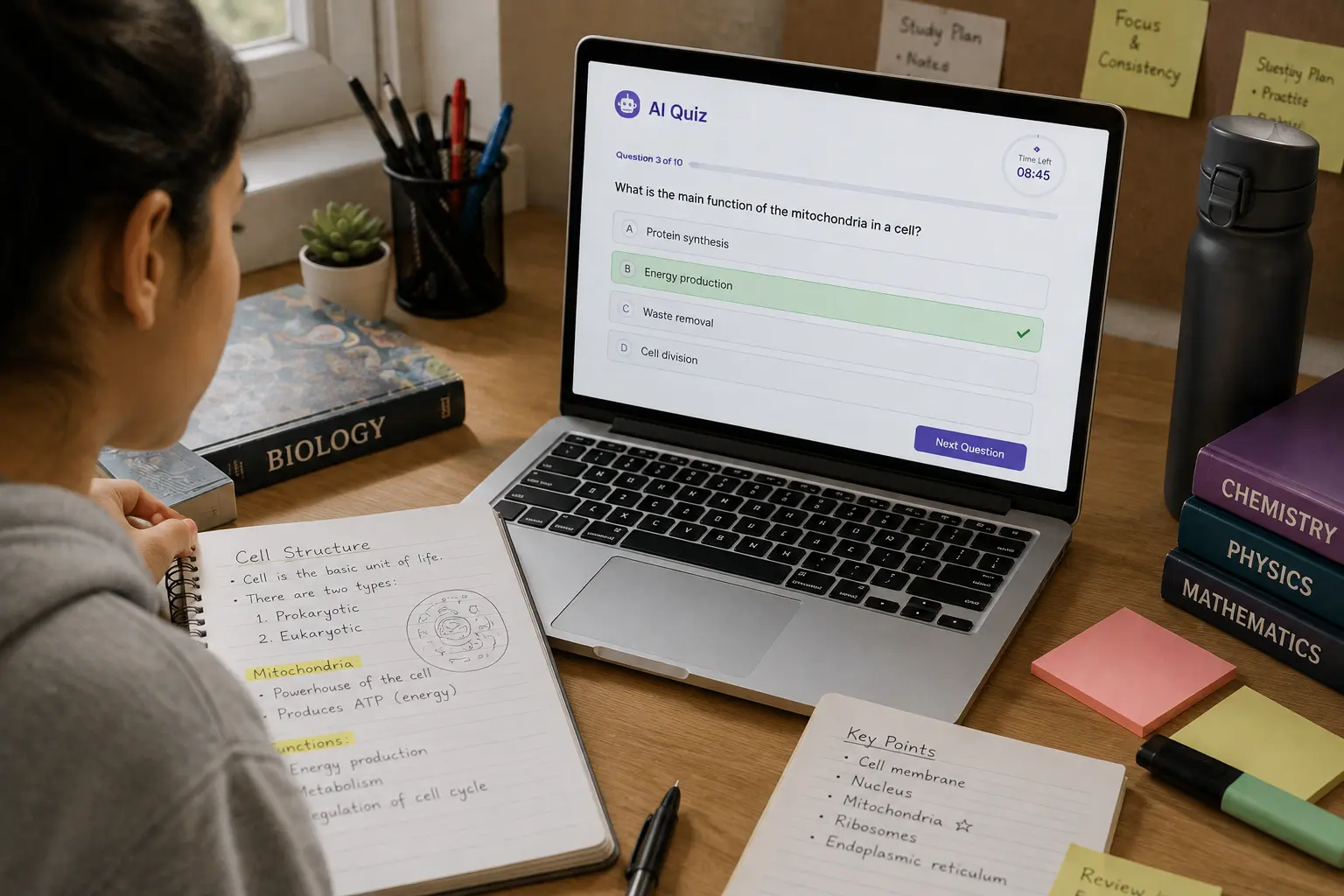
Let’s be honest: rereading your notes for the fifth time is not exactly the highlight of anyone’s day.
You open your notebook, stare at the same definition you’ve already seen four times, highlight it again for absolutely no reason, and somehow convince yourself that studying is happening.
I’ve done it.
And the worst part is that your brain can trick you into thinking you know something simply because the sentence looks familiar.
That’s why one of my favorite ways to use AI for studying is to turn notes into a quiz with AI.
Instead of asking AI to summarize everything into another document that I will probably reread later, I can make it challenge me.
The idea is simple:
Notes → Questions → Answers → Mistakes → Better revision
I’ve tested this approach with different types of study material, and what I like most is that you can make the quiz as easy, difficult, weird, competitive, or exam-like as you want.
You can ask AI to act like a strict professor.
You can make it create a “Who Wants to Be a Millionaire?” style quiz.
You can ask it to hide the answers.
You can even tell it to keep asking questions until it finds the topic you clearly don’t understand.
That last one can get uncomfortable.
And that’s exactly why it can work.
Why Turn Notes Into a Quiz Instead of Just Reading Them?
Imagine you have a biology exam next week.
You read:
Mitochondria are membrane-bound organelles responsible for producing ATP through cellular respiration.
You think:
“Yep. I know that.”
Then close the notes.
Now answer this:
What is the primary role of mitochondria in cellular respiration?
Suddenly your brain goes:
“Wait… I definitely knew this five seconds ago.”
That’s the difference between recognition and recall.
When you’re reading, the answer is sitting right there.
When you’re answering a question, your brain has to retrieve it.
Retrieval practice is one of the learning techniques recommended by The Learning Scientists, who explain that bringing information back to mind helps strengthen learning. The Learning Scientists’ retrieval practice guide
So instead of asking:
“Can I recognize this information?”
you’re asking:
“Can I produce the answer without looking?”
That’s a much more interesting test.
The Fun Part: AI Can Turn Almost Any Notes Into a Quiz
Your notes don’t need to be perfectly organized.
They can contain:
- Lecture notes
- Class summaries
- PDF notes
- Textbook material
- Research notes
- Revision notes
- Definitions
- Formulas
- Random bullet points
- Even those mysterious notes you wrote at 2 AM and can’t understand anymore
Give AI the material and explain what you want.
For example:
Turn these notes into a 20-question quiz. Ask one question at a time and wait for my answer before showing whether I am correct. Use only information from my notes. Start easy and gradually increase the difficulty.
Now you’re not just reading.
You’re playing against the material.
How to Turn Notes Into a Quiz With AI
Step 1: Give AI Your Notes
Start by uploading or pasting your notes.
If your notes are already in a PDF, you can first use the workflow from our guide on how to summarize a PDF with AI.
But here’s something I recommend:
Don’t automatically summarize everything first.
Sometimes the original notes contain details that a summary removes.
If the notes are readable, go directly from:
Notes → Quiz
You can always summarize later.
Step 2: Tell AI What the Quiz Is For
Context changes everything.
Compare these two prompts.
Weak prompt:
Make a quiz from these notes.
Better prompt:
I’m preparing for a college biology exam. Turn these notes into a 25-question quiz. Focus on concepts, definitions, processes, and application-based questions. Make the questions similar to what I might see on an exam.
The second prompt gives AI an actual job.
Step 3: Choose Your Quiz Style
This is where you can have some fun.
You don’t have to make every quiz look like a boring school test.
Try different formats.
Style 1: Classic Quiz
Create 20 questions from my notes. Mix multiple-choice, true/false, and short-answer questions.
Simple.
Useful.
No drama.
Style 2: One Question at a Time
This is one of my favorites.
Use:
Ask me one question at a time. Do not reveal the answer until I respond. After I answer, tell me whether I am correct, explain why, and then give me the next question.
Now the AI becomes more like a tutor.
And you can’t cheat by accidentally seeing question #17 while answering question #3.
Style 3: The Strict Professor
Want to make things harder?
Try:
Act like a strict professor preparing me for an important exam. Ask difficult questions based only on my notes. Do not give hints unless I ask. After each answer, explain exactly what I got wrong.
This can be surprisingly effective.
Especially when the AI says:
Incorrect.
And you’re sitting there thinking:
“Okay, Professor Robot, calm down.”
Style 4: The Friendly Tutor
If strict professors aren’t your thing:
Act like a friendly tutor. Ask me questions from my notes one at a time. If I get something wrong, explain it simply and give me a similar question to see if I understand it.
This creates a useful loop:
Question → Answer → Correction → Similar Question
You’re not just finding mistakes.
You’re checking whether you’ve actually fixed them.
Style 5: Millionaire Mode
Here’s one I genuinely recommend when studying gets boring.
Ask:
Turn my notes into a “Who Wants to Be a Millionaire?” style quiz. Start with easy questions and gradually increase the difficulty. Give me four options for each question and keep score.
Now imagine:
Question for $100
What is the primary function of mitochondria?
A. Protein storage
B. ATP production
C. DNA replication
D. Waste removal
Your answer?
Suddenly studying feels slightly less like studying.
9 Fun Ways to Turn Notes Into a Quiz With AI
1. Make AI Turn Your Notes Into a Game Show
Instead of a standard quiz, give yourself a score.
Try:
Turn these notes into a game-show quiz. Give me 10 questions worth increasing points. Keep track of my score and give me a final result based on my performance.
You can even add levels:
Level 1: Easy
Level 2: Medium
Level 3: Difficult
Final Round: Nightmare mode
The “nightmare mode” is optional.
I don’t recommend it five minutes before your exam.
2. Create a “Beat My Score” Quiz
This is useful when you’re studying over several days.
Ask AI:
Create a 20-question quiz from these notes. Record my score after each attempt. When I take the quiz again later, use different questions covering the same concepts so I can try to beat my previous score.
For example:
Monday: 11/20
Wednesday: 15/20
Friday: 18/20
Now your study progress becomes measurable.
Instead of:
“I think I’m getting better.”
You have:
11 → 15 → 18
Much more satisfying.
3. Ask AI to Find Your Weakest Topic
This is where things become genuinely useful.
Instead of only asking for a score, tell AI:
Track which topics I answer incorrectly. After 15 questions, tell me which three topics appear to be my weakest and create a short revision quiz specifically for those areas.
Now AI isn’t simply testing you.
It’s analyzing your mistakes.
Imagine you get:
Cell Structure: 90%
Genetics: 80%
Cellular Respiration: 55%
There you go.
You don’t need to spend another hour rereading everything.
You know where to focus.
4. Make AI Give You a Second Chance
Getting an answer wrong doesn’t have to end the topic.
Try:
If I answer incorrectly, don’t immediately give me the correct answer. Give me one small hint and allow me to try again.
This turns one question into a mini learning session.
For example:
AI: What is the function of the mitochondria?
You: It stores DNA.
AI: Not quite. Hint: Think about what cells need to power their activities.
You: ATP production?
AI: Correct.
That second attempt is much more interesting than simply reading:
Mitochondria produce ATP.
5. Ask for “Trick Questions”
This is useful before an exam because some questions are designed to expose superficial understanding.
Prompt:
Create 10 challenging questions that test common misunderstandings from these notes. Include plausible but incorrect answer choices.
For example, if two concepts are commonly confused, AI can create questions specifically designed to distinguish them.
This is especially useful for subjects where small differences matter.
6. Turn Your Notes Into “Would You Survive the Exam?” Mode
Okay, this one is mostly for fun.
Try:
Create a survival-style exam challenge from these notes. Give me 15 questions. Every correct answer keeps me alive. Every incorrect answer removes one life. Start with three lives and make the questions progressively harder.
Now you have:
❤️ ❤️ ❤️
Question 1…
Correct.
❤️ ❤️ ❤️
Question 2…
Wrong.
❤️ ❤️
Suddenly you care way too much about cellular respiration.
That’s the point.
7. Ask AI to Explain Why Your Wrong Answer Is Wrong
This is more important than simply knowing the correct answer.
Suppose the question is:
Which process produces ATP during cellular respiration?
You answer incorrectly.
Don’t just ask:
What’s the right answer?
Ask:
Explain why my answer is wrong and why the correct answer is right. Then give me another question testing the same concept in a different way.
Now the AI can test whether you understood the correction.
8. Make a Quiz From Your Own Mistakes
This is one of the most powerful workflows.
After taking several quizzes, tell AI:
These are the questions I got wrong. Create a new 15-question quiz focusing primarily on the concepts behind my mistakes. Do not simply repeat the same questions.
This creates a personalized revision loop.
Your mistakes become the study material.
Instead of spending equal time on everything, you spend more time where your understanding is weakest.
9. Create a Final “Boss Battle”
If you’ve been studying a topic for several days, finish with a difficult quiz.
Prompt:
Create a final 25-question challenge based on these notes. Include difficult application questions, comparisons, scenarios, and questions that combine multiple concepts. Do not make the questions easier just because I got previous questions wrong.
Call it:
The Boss Battle.
Why not?
If you’ve already spent hours studying, you might as well defeat the final boss.
A Real Example: Turning Lecture Notes Into a Quiz
Let’s say my notes contain this:
Photosynthesis occurs in chloroplasts. Chlorophyll absorbs light energy. Light-dependent reactions occur in the thylakoid membranes. The Calvin cycle occurs in the stroma. ATP and NADPH are produced during the light-dependent reactions and used in the Calvin cycle.
I could ask AI:
Turn these notes into five questions with increasing difficulty.
It might create:
Question 1 — Easy
Where does photosynthesis occur?
Question 2 — Medium
What pigment absorbs light energy?
Question 3 — Medium
Where do light-dependent reactions occur?
Question 4 — Difficult
What are the roles of ATP and NADPH in the Calvin cycle?
Question 5 — Challenge
Explain how the products of the light-dependent reactions support the Calvin cycle.
Notice what happened.
The AI didn’t just make five versions of:
“What is photosynthesis?”
It created a progression.
Recall → Understanding → Connection → Application
That’s exactly what I want from a useful quiz.
The Prompt I Would Actually Use
If you don’t want to experiment with ten different prompts, start here:
I am studying these notes for an exam. Turn them into an interactive quiz. Ask one question at a time and wait for my answer. Use a mixture of definitions, concepts, comparisons, processes, and application questions. Start with easier questions and gradually increase the difficulty. Do not reveal the answer before I respond. After each answer, tell me if I am correct and briefly explain why. Track the topics I get wrong. After 20 questions, identify my three weakest areas and create a short revision quiz for those topics. Use only information from my notes and do not invent facts.
That’s a pretty powerful prompt for one paragraph.
Want Better Questions? Give AI Your Exam Format
This makes a big difference.
If Your Exam Is Multiple Choice
Tell AI:
Create multiple-choice questions with four plausible options. Avoid obviously wrong distractors.
If Your Exam Has Short Answers
Tell AI:
Create questions that require answers in 2–5 sentences. Grade my answers based on whether they include the essential concepts.
If Your Exam Has Essays
Tell AI:
Create essay-style questions based on the major themes in my notes. After I answer, evaluate whether my response addresses the key concepts.
If Your Exam Has Calculations
Tell AI:
Create calculation problems using the formulas and methods in my notes. Do not show the solution until I attempt the problem.
Now the AI quiz is actually relevant to your assessment.
Turn a PDF Into a Quiz Without Reading Everything First
Here’s another workflow I’ve found useful.
Suppose you have a 100-page PDF.
Instead of manually reading all 100 pages before creating questions, ask AI:
Analyze this PDF and identify the 20 most important concepts that I should understand for an exam. Then create quiz questions around those concepts.
You can then review the questions.
If AI focuses on something irrelevant, tell it.
If the document is especially long, you can combine this with the PDF workflow in our AI study guide and note-taking article.
The goal is not to avoid learning the material.
It’s to reduce the amount of repetitive organization you have to do manually.
Don’t Let AI Make the Quiz Too Easy
This is a trap.
If every question is:
What does X mean?
you might get a great score and still not understand the topic.
Ask AI for different cognitive levels.
For example:
Create questions across three levels: recall, understanding, and application. Make approximately 30% recall, 40% understanding, and 30% application.
Now your quiz has variety.
Recall
What is ATP?
Understanding
Why is ATP important to cells?
Application
What would happen to cellular activity if ATP production decreased significantly?
Much better.
Make AI Explain Things Like You’re Five
Sometimes you get an answer wrong because the concept itself is confusing.
Don’t just memorize the correct answer.
Ask:
Explain this concept to me in extremely simple language using a real-world analogy. Then ask me one question to check whether I understand it.
For example, AI might compare a cell’s energy system to a rechargeable battery.
Now the concept has an image attached to it mentally.
After understanding it, you can return to the technical definition.
Combine Quizzes With Flashcards
Quizzes and flashcards don’t have to compete.
They can work together.
For example:
Step 1: Use your notes to create flashcards.
Step 2: Study those flashcards.
Step 3: Ask AI to quiz you on the same material.
Step 4: Track the questions you miss.
Step 5: Turn those weak areas into additional flashcards.
We’ve already covered the PDF-to-flashcard workflow in our guide on making flashcards from a PDF with AI.
And if your original material is lecture notes, our guide on turning lecture notes into study guides with AI can help you organize the material first.
Now you’ve created a loop:
Notes → Study Guide → Flashcards → Quiz → Mistakes → Revision
That is far more powerful than simply reading the same notes repeatedly.
How I Would Use AI the Night Before an Exam
Let’s say the exam is tomorrow.
I wouldn’t ask AI to teach me the entire subject from scratch.
I’d do this:
Round 1
Give me 20 medium-difficulty questions covering the major topics.
Take the quiz.
Round 2
Ask:
Identify the three areas where I made the most mistakes.
Round 3
Ask:
Explain those three areas simply and give me examples.
Round 4
Ask:
Now create 10 difficult questions specifically testing those concepts.
Round 5
Take the final quiz.
This gives you a quick feedback loop.
And if you still get half the questions wrong…
Maybe don’t start watching Netflix yet.
A Word of Caution: Don’t Let AI Become Your Answer Key
There’s one thing I would not recommend.
Don’t blindly trust every answer AI gives you.
AI can misunderstand your notes, especially when they contain:
- Poor formatting
- Missing context
- Scanned pages
- Complex tables
- Mathematical formulas
- Diagrams
- Specialized terminology
Always compare important information against your original notes, textbook, or other reliable source.
If you want AI to stay tightly grounded, explicitly tell it:
Use only the information contained in my notes. If the answer cannot be determined from my notes, say “not enough information” instead of guessing.
That one sentence can make your quiz much safer and more useful.
The Best Part: Make AI Quiz You Until You Actually Know It
Here’s the workflow I’d personally use.
Tell AI:
Keep testing me on this material. If I answer a question correctly, move to a different concept. If I answer incorrectly, explain the mistake and give me another question testing the same concept from a different angle. Continue until I demonstrate that I understand all major topics.
Now you aren’t just taking a quiz.
You’re having a conversation with your study material.
And that is where I think AI gets genuinely interesting for learning.
My Favorite 15-Minute Study Challenge
If you don’t have much time, try this.
Minute 0–2
Upload your notes.
Minute 2–3
Ask AI to identify the five most important concepts.
Minute 3–12
Take a 10-question interactive quiz.
Minute 12–15
Ask:
Based on my answers, what are the two concepts I should revise immediately?
Then go back to those sections.
That’s it.
Fifteen minutes.
Not a magical replacement for studying, but a much better use of a short study window than staring at the same paragraph for fifteen minutes.
Final Thoughts
Learning how to turn notes into a quiz with AI can completely change the way you revise.
Instead of treating your notes as something you repeatedly read, you can turn them into an interactive challenge. AI can create questions, adjust difficulty, track mistakes, explain incorrect answers, and create follow-up quizzes around the concepts you struggle with most.
From my experience, the best results come when you don’t stop at a basic question-and-answer quiz. Ask for different difficulty levels, application questions, comparisons, scenarios, and questions based specifically on your mistakes.
And don’t be afraid to make studying a little more fun.
Turn it into a game show.
Give yourself lives.
Create a boss battle.
Try to beat yesterday’s score.
The goal isn’t to make studying feel like a video game every single day. It’s to make the process active enough that you’re actually retrieving information instead of simply recognizing it on a page.
The next time you catch yourself rereading the same notes for the fourth time, try something different.
Close the notes.
Give them to AI.
And let it quiz you.
Frequently Asked Questions
Can AI turn notes into a quiz?
Yes. AI can turn lecture notes, PDFs, textbook material, and study guides into quizzes containing multiple-choice, short-answer, true/false, conceptual, and application-based questions.
How do I turn notes into a quiz with AI?
Upload or paste your notes into an AI tool and ask it to create questions based only on the material. Tell it your exam format, desired difficulty, number of questions, and whether you want answers revealed immediately or after you respond.
Can AI quiz me one question at a time?
Yes. You can specifically ask AI to present one question, wait for your answer, evaluate it, explain the result, and then continue with the next question.
Can AI identify what I am weak at?
Yes. If you use an interactive quiz, you can ask AI to track the topics behind your incorrect answers and identify the areas where you need additional practice.
Can AI create a quiz from a PDF?
Yes. If the AI tool supports PDF analysis, you can upload a PDF and ask it to create questions from the document. Scanned PDFs may require accurate text extraction or OCR first.
Can AI create difficult exam questions from my notes?
Yes. Tell AI to focus on application, comparison, scenario-based, and higher-difficulty questions instead of simple definitions. You can also specify the type of exam you’re preparing for.
Should I trust AI-generated quiz answers?
You should verify important answers against your original notes, textbook, or another reliable source. AI can occasionally misunderstand source material or generate inaccurate information.
Is taking an AI quiz better than rereading notes?
An interactive quiz can encourage retrieval practice because you have to recall information instead of simply recognizing it on the page. However, quizzes work best as part of a broader study routine that also includes learning, reviewing, and correcting mistakes.
