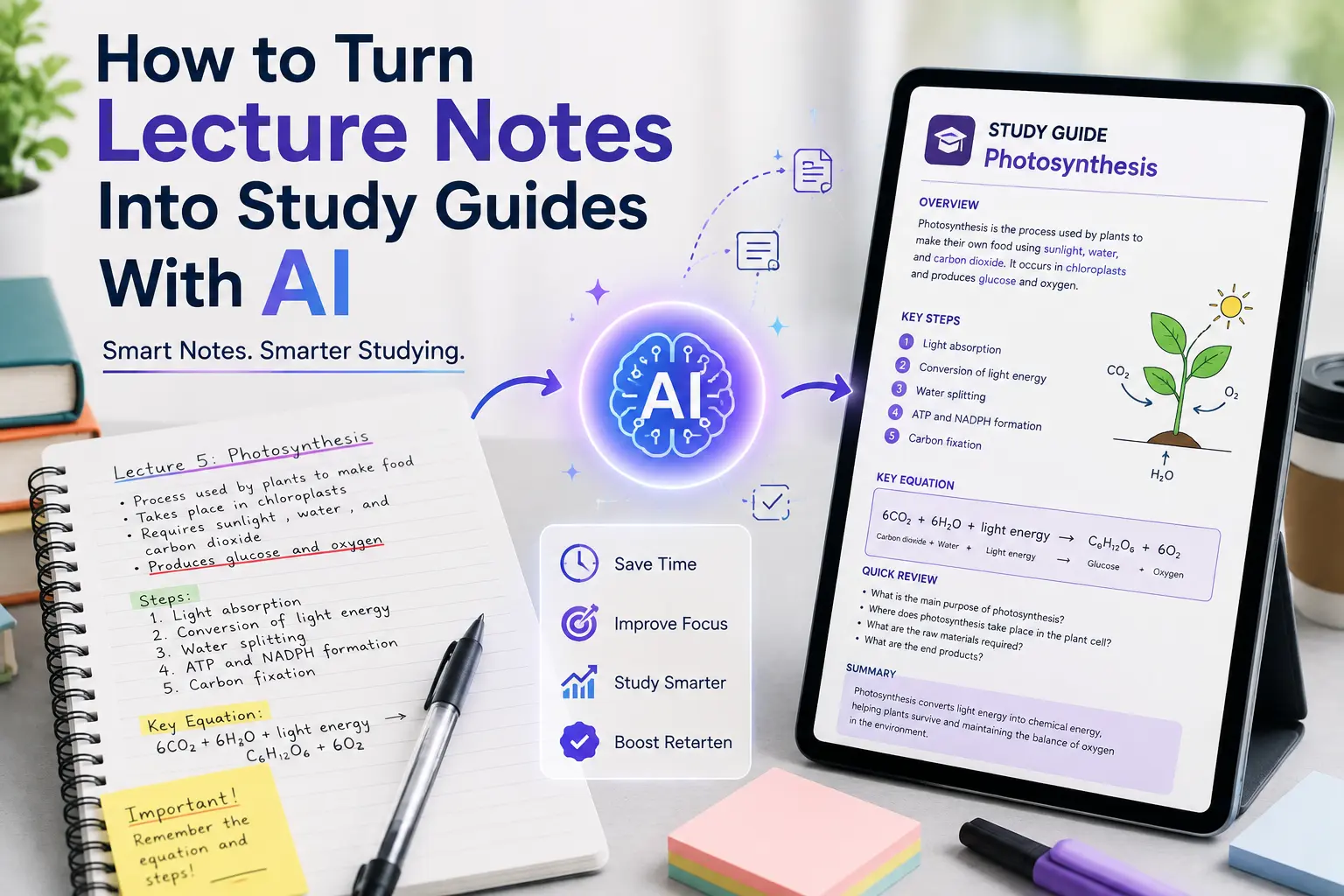
Lecture notes can be useful when they are organized, but they are not always easy to study from. You may have pages of notes filled with abbreviations, incomplete sentences, definitions, examples, and information that made sense during class but becomes difficult to review later. Learning how to turn lecture notes into study guides with AI can make that process much easier.
I have tested different AI-assisted study workflows, and one of the most useful approaches is turning raw notes into a structured study guide instead of simply asking AI to summarize everything. A good study guide should help you understand the important concepts, identify what you need to memorize, and quickly review the material before an exam.
In this guide, I will show you how I approach this process, which prompts work well, how to handle messy notes, and how to turn the same lecture material into summaries, questions, flashcards, and revision notes.
Why Turn Lecture Notes Into a Study Guide?
Lecture notes are usually written for capturing information quickly, not for creating a perfect study resource.
When a professor is explaining something, you may write:
- Short phrases instead of complete sentences
- Abbreviations
- Important definitions
- Examples
- Questions to research later
- References to slides
- Numbers or formulas
- Points that the professor emphasizes verbally
The problem becomes obvious when you return to those notes several days later.
You may understand individual points but still struggle to see how everything fits together.
A study guide solves this by organizing the information around the concepts you actually need to learn.
For example, instead of having several pages of scattered notes about photosynthesis, you could have:
Photosynthesis
- Definition
- Purpose
- Chloroplast role
- Light-dependent reactions
- Calvin cycle
- Important terms
- Key equations
- Common questions
- Quick revision points
That structure is much easier to study.
Can AI Turn Lecture Notes Into Study Guides?
Yes. AI can take properly formatted lecture notes and reorganize them into a study-friendly format.
You can provide notes as:
- Typed text
- PDF files
- Documents
- Copied lecture notes
- Transcribed class notes
- Structured outlines
The exact capabilities depend on the AI tool you use, but the basic workflow is similar.
If your notes are stored in a PDF, you can also use the workflow described in our guide on how to summarize a PDF with AI before turning the important sections into study material.
However, I would not recommend simply asking AI:
Turn these notes into a study guide.
You will usually get a much better result if you tell it exactly what you want the study guide to contain.
How to Turn Lecture Notes Into Study Guides With AI
Step 1: Collect Your Lecture Notes
Start by gathering the notes for the topic or chapter you want to study.
If you have notes from multiple lectures, it is often better to organize them by subject or chapter before giving them to AI.
For example:
Biology
- Lecture 1 — Cell Structure
- Lecture 2 — Cell Membrane
- Lecture 3 — Cellular Respiration
- Lecture 4 — Photosynthesis
This makes it easier to create separate study guides rather than mixing unrelated information.
If you are using AI tools for studying more broadly, you can also combine this workflow with other techniques explained in our guide to using AI tools for studying.
Step 2: Give AI Context
Before asking AI to create the study guide, tell it what the notes are about.
For example:
These are my lecture notes for an introductory biology course. I am preparing for an upcoming exam. Organize the information into a study guide while keeping the important terminology and concepts from my notes.
This gives the AI a much clearer objective.
You can make it even more specific by explaining your exam format.
For example:
My exam contains multiple-choice questions and short-answer questions. Create the study guide with definitions, key concepts, comparisons, and possible questions.
That is much more useful than asking for a generic summary.
Step 3: Ask AI to Identify the Main Topics
Before generating the complete study guide, I recommend asking AI to identify the major topics first.
Try this prompt:
Review these lecture notes and identify the main topics and subtopics I should study. Do not create the full study guide yet.
This gives you a basic outline.
For example, your notes might produce:
- Cell Structure
- Cell Membrane
- Transport Across Membranes
- Cellular Respiration
- ATP Production
Now you know how the material can be organized.
Step 4: Create the Study Guide
Once you know the main topics, ask AI to build the guide.
A useful prompt is:
Turn these lecture notes into a structured study guide. Organize the content by topic and include key concepts, important definitions, examples, formulas, processes, and information that appears especially important for an exam. Do not add information that is not supported by my notes.
That final instruction is important.
It helps keep the study guide focused on the material you actually provided instead of allowing the AI to expand unnecessarily into unrelated information.
Step 5: Add Important Definitions
Definitions are often one of the most useful parts of a study guide.
Ask AI to identify them separately:
Extract all important definitions from these lecture notes. Rewrite them in simple language while preserving the correct meaning. Organize them alphabetically by concept.
You can then use those definitions for quick revision.
For example:
Osmosis: The movement of water across a selectively permeable membrane from an area of higher water concentration toward an area of lower water concentration.
The exact definition should always be checked against your course material, especially when your professor uses a specific wording.
Step 6: Turn Important Concepts Into Questions
This is where a study guide becomes much more useful than a normal summary.
Instead of only reading information, ask AI to convert it into questions.
Try:
Create 20 study questions from these lecture notes. Include a mixture of basic recall, concept-based, comparison, and application questions. Provide answers separately.
You could get questions such as:
Question: What is the primary function of the cell membrane?
Answer: It regulates what enters and leaves the cell.
The advantage is that you can cover the answer and test yourself.
Step 7: Create a Quick-Review Version
You don’t always want to read the entire study guide.
I like creating a shorter version for final revision.
Use a prompt such as:
Create a one-page quick-review sheet from these lecture notes. Include only the most important concepts, definitions, formulas, processes, and facts. Remove explanations that are not essential for quick revision.
Now you have two resources:
Detailed study guide → learning and understanding
Quick-review sheet → final revision
That combination is much more practical than having one huge AI-generated summary.
A Practical Example
Let’s say your lecture notes are about the human nervous system.
Your original notes might look something like this:
CNS = brain + spinal cord
PNS = nerves outside CNS
sensory → carries information to CNS
motor → carries instructions away
sympathetic = fight or flight
parasympathetic = rest/digest
Those notes are useful if you already understand the topic, but they are not an ideal revision resource.
I would ask AI to organize them like this:
Central Nervous System
Includes:
- Brain
- Spinal cord
Peripheral Nervous System
Function:
Carries information between the central nervous system and the rest of the body.
Sensory Division
Carries information toward the CNS.
Motor Division
Carries instructions away from the CNS.
Sympathetic Nervous System
Associated with the body’s fight-or-flight response.
Parasympathetic Nervous System
Associated with rest-and-digest functions.
The information has not necessarily changed. The difference is that it has been reorganized into something much easier to review.
Best AI Prompts for Creating Study Guides
You don’t have to use the same prompt every time. The best prompt depends on what you want to study.
For General Study Guides
Turn these lecture notes into a detailed study guide. Organize the information by topic and include important concepts, definitions, examples, and key facts.
For Exam Preparation
Turn these lecture notes into an exam-focused study guide. Identify concepts that are important to understand, definitions to memorize, processes to know, and information that could become exam questions.
For Simple Explanations
Rewrite these lecture notes into a study guide using simple language. Keep important technical terms but explain them in a way that is easy for a beginner to understand.
For Multiple-Choice Exams
Create a study guide from these lecture notes for a multiple-choice exam. Highlight key differences between similar concepts, important definitions, facts, and details that could be used as distractor answers.
For Short-Answer Exams
Turn these lecture notes into a study guide for a short-answer exam. Focus on concepts I should be able to explain in my own words and include practice questions with answers.
For Difficult Topics
Identify the five most difficult concepts in these lecture notes and explain each one step by step with a simple example.
How to Make the Study Guide More Useful
Simply generating a study guide isn’t enough. You can improve it further by asking AI to transform the same material into different formats.
Turn Notes Into Flashcards
Ask:
Create flashcards from these lecture notes. Put one question on the front and the answer on the back. Focus on important definitions, concepts, facts, and comparisons.
If you’re already using AI for note-taking, combining those notes with a structured flashcard workflow can make revision more efficient. Our guide to AI note-taking for students covers another useful part of this process.
Turn Notes Into a Practice Test
Try:
Create a 25-question practice test based only on these lecture notes. Include multiple-choice and short-answer questions. Do not show the answers until the end.
This gives you a way to test whether you actually understand the material.
Ask for Comparisons
Some topics are difficult because two concepts sound similar.
For example:
Compare aerobic and anaerobic respiration using a table. Include definition, location, oxygen requirement, energy production, and end products.
Tables can be particularly useful for revision because they make differences easy to spot.
Ask for Real-World Examples
If a concept is difficult to understand, ask:
Explain this concept using three real-world examples and then explain how each example relates to the lecture notes.
This can help turn an abstract definition into something easier to remember.
What If My Lecture Notes Are Messy?
This is common.
You might have notes with:
- Spelling mistakes
- Abbreviations
- Missing words
- Incomplete sentences
- Repeated information
- Random ordering
- Notes from different lectures mixed together
Don’t spend hours manually rewriting everything before using AI.
Instead, tell AI what you’re working with.
Try:
These are rough lecture notes and may contain abbreviations, incomplete sentences, and repeated information. Organize them into a clean study guide while preserving the original meaning. If something is unclear, mark it as unclear rather than guessing.
That last part is especially important.
If the notes contain incomplete information, you don’t want AI silently inventing what the professor meant.
How to Avoid AI Making Up Information
This is one area where I would be careful.
A study guide is only useful if it accurately represents what you’re expected to learn.
I recommend telling AI:
Use only the information provided in my lecture notes. Do not introduce outside facts unless I specifically ask for them.
If you want additional information, ask for it separately:
Now identify which concepts in my notes need additional explanation and explain them using reliable general knowledge. Clearly separate that additional information from my original lecture material.
This makes it easier to distinguish between what your course material says and what AI added for explanation.
Should You Use AI-Generated Study Guides Instead of Your Notes?
I wouldn’t.
Your original lecture notes should remain the source material.
Think of the AI study guide as an organized layer on top of your notes.
A good workflow is:
Lecture → Original notes → AI organization → Study guide → Practice questions → Review original notes
This way, you’re using AI to save time without completely disconnecting yourself from the material.
For students who want to go further, you can also use AI to create a structured study system from notes, summaries, and questions rather than relying on one large document.
My Recommended Workflow
After testing different ways of working with AI-assisted study material, I would keep the workflow simple:
1. Start with your original lecture notes
Don’t immediately rewrite everything.
2. Ask AI to identify the major topics
This gives you the structure.
3. Create the detailed study guide
Include definitions, concepts, examples, formulas, and important processes.
4. Create practice questions
This changes studying from passive reading to active recall.
5. Create flashcards
Use them for definitions and facts that require memorization.
6. Make a quick-review sheet
Keep only the most important information for final revision.
7. Verify important information
Compare the study guide with your lecture notes and textbook before relying on it for an exam.
This workflow is also useful alongside other productivity apps for students if you’re trying to organize your entire study routine.
Common Mistakes to Avoid
Asking AI to “Make Notes Better”
This is too vague.
Tell it what you actually want: a study guide, revision sheet, flashcards, practice test, or concept explanation.
Giving No Exam Context
A study guide for an essay exam can be very different from one for a multiple-choice test.
Tell AI what type of assessment you’re preparing for.
Letting AI Add Too Much Information
More information doesn’t always mean better studying.
If your exam is based primarily on your lecture notes, start with those notes and keep outside information separate.
Studying Only the AI Summary
Don’t assume that reading the generated guide means you have learned the material.
Use questions, flashcards, and practice tests to check your understanding.
Not Checking the Original Notes
AI can misunderstand context or introduce errors. Compare important information against your actual course material.
Final Thoughts
Learning how to turn lecture notes into study guides with AI can make studying much more organized, especially when your original notes are long, messy, or difficult to review.
The biggest benefit isn’t simply getting a shorter version of your notes. It’s being able to transform the same material into structured explanations, definitions, practice questions, flashcards, comparisons, and quick-review sheets.
From my experience, the best approach is to use AI as an organization and learning assistant rather than letting it replace your original course material. Start with your notes, give AI clear instructions, create the type of study resource you actually need, and verify important information before using it for an exam.
When used this way, AI can turn a pile of lecture notes into a much more practical study system.
Frequently Asked Questions
Can AI turn lecture notes into a study guide?
Yes. AI can organize lecture notes into structured study guides with topics, definitions, key concepts, examples, and revision points. You can also ask it to create practice questions and flashcards from the same notes.
How do I use AI to organize lecture notes?
Upload or paste your lecture notes into an AI tool and explain what you need. For example, ask it to organize the notes by topic, identify important concepts, simplify difficult sections, and create a structured study guide for your exam.
What is the best AI prompt for making study guides?
A useful prompt is: “Turn these lecture notes into an exam-focused study guide. Organize the content by topic and include important definitions, concepts, examples, formulas, and potential exam questions. Use only the information provided in my notes.”
Can AI make flashcards from lecture notes?
Yes. You can ask AI to turn your lecture notes into question-and-answer flashcards. This works particularly well for definitions, important facts, terminology, formulas, and concept comparisons.
Can AI create practice questions from lecture notes?
Yes. AI can generate multiple-choice, short-answer, and concept-based questions from your lecture notes. For better results, specify your exam format and ask AI to provide the answers separately so you can test yourself first.
Should I trust an AI-generated study guide?
You should verify important information against your original lecture notes or textbook. AI can occasionally misunderstand context or generate incorrect information, so the study guide should be treated as a learning aid rather than the original source.
